
What It Can Show You
Hi. I'm Jen, a photographer and a coin dealer, and fair warning: I'm secretly scientific and severely analytic. My eyes were done squinting through a loupe, so I taught a computer to look for me, and then I kept going. Below is every tool, what it puts on your screen, and the actual optics, light physics and math that make it work. Some of it is gloriously nerdy. I regret nothing.
Capture
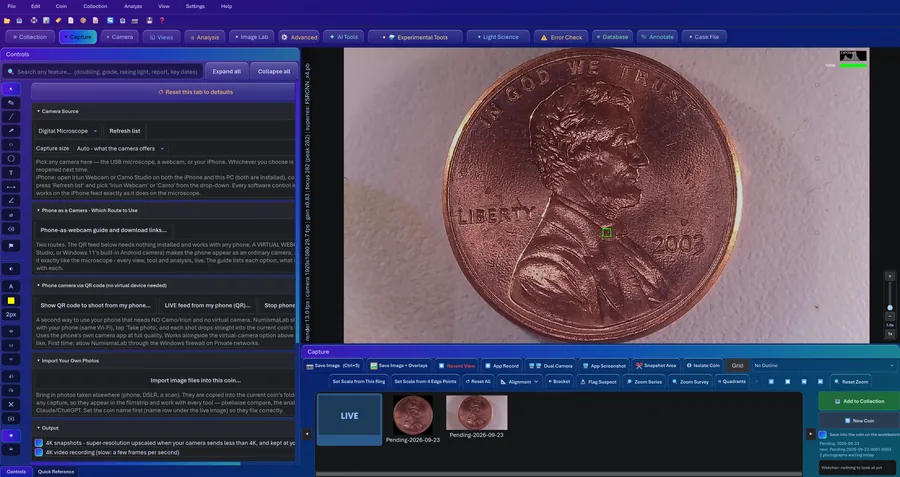
Plug in whatever you've got. A USB microscope, a webcam, a capture card, a DSLR, or your phone. If Windows calls it a camera, I'll take it. Then you get the tools I actually want while I'm framing a coin.
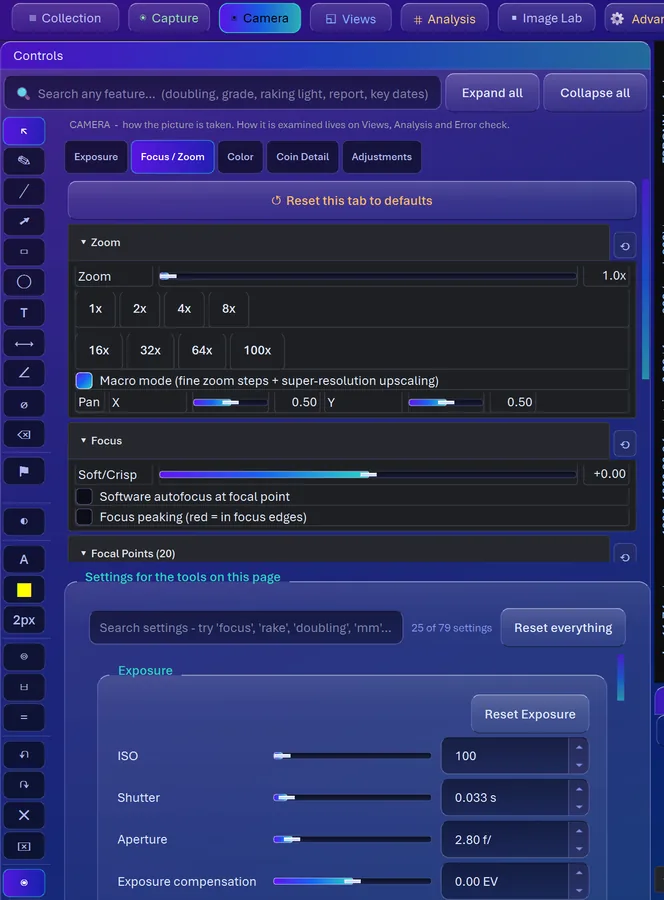
Focus peaking. A Laplacian filter (it measures how sharply brightness changes direction, which is what a crisp edge does) runs over every frame, and the strongest edges get painted pure red. Turn the knob and watch the red crawl across the relief. Wherever it's red, it's in focus.
The focus meter. This one uses a Tenengrad score: edge energy from a Sobel filter, counting only the strongest edges so sensor noise can't fake sharpness. A peak marker holds your best reading and slowly lets go, so you can rock the knob past the sweet spot and come back to it.
A histogram with four jobs. Exposure, Shadows (with the percent of pixels crushed to black), Highlights (with the percent blown to white, which on a coin means lost luster), and Focus, which charts the spread of sharpness. One lump on the right means the whole coin is in the focal plane. Two lumps means part of it isn't.
Zoom Series and Quadrants. Zoom Series takes 10 magnification stops times 4 quadrants, 40 photos, every one centered on the coin's detected circle instead of the frame. It stops before a tile would drop below 240 real sensor pixels, so it never enlarges past what the camera actually recorded. Quadrants split the coin on its own center with a little overlap, so a doubled letter sitting on the dividing line doesn't get chopped out of both.
Files that can't half-exist. Every photo is written to a temporary file, forced to disk, then renamed into place in one step. Crash, power cut, cat on the keyboard: the real filename holds either nothing or a complete picture. One coin can hold a hundred photos, which sounds like a lot until you run a zoom series.
Cameras, Phones and Tethering
Confession from a photographer: a USB microscope is basically a webcam, and most of its "controls" just adjust the picture afterward. So CoinScope Pro also talks to cameras that have real sensors and real glass.
DSLR and mirrorless over USB. It uses Windows Image Acquisition, which is built into Windows, so there's nothing to install. It finds the camera, fires it, pulls the file and files it straight into the open coin. Where a body won't let a program set ISO, shutter or aperture, those show as unavailable instead of pretending.
Your phone, two ways. Scan a QR code and send full-quality photos straight from the phone's own camera app. Or run a live feed: the program starts a small HTTPS server with its own certificate, because browsers only hand a web page the live camera on a secure connection. Preview frames stream to your PC and snapshots come across at full resolution.
The folder watcher. Already love your camera software? Point the watcher at its folder. Every new JPG, PNG, TIFF, HEIC or raw file (NEF, CR2, CR3, ARW, DNG, RAF, ORF, RW2) gets filed into the open coin. It waits until a file stops growing before touching it, so it never grabs a raw file that's still being written.
Focus and Detail Stacking
At real magnification your depth of field is thinner than a hair, so the rim and the portrait are never sharp in the same frame. Physics is rude like that. Stacking is how you cheat it.
Focus stacking. Roll the focus knob slowly and the program keeps, for every single pixel, the sharpest version it has seen so far. You watch the sharp zone grow across the coin live. For a saved sweep it blends with a Laplacian pyramid, which merges the frames at several scales at once so the seams don't show.
Detail stacking. This is the lucky-imaging trick astronomers use on planets. Each new frame gets lined up with the reference by phase correlation, which finds the shift between two images from their frequencies, and then gets folded into a running average. Frames that don't match well, or moved more than a quarter of the frame, get tossed. Noise is random from frame to frame and the coin isn't, so the noise averages away and the fine detail climbs up out of the mud. At high digital zoom that's the difference between static and die polish.
Raw Developer and Image Lab
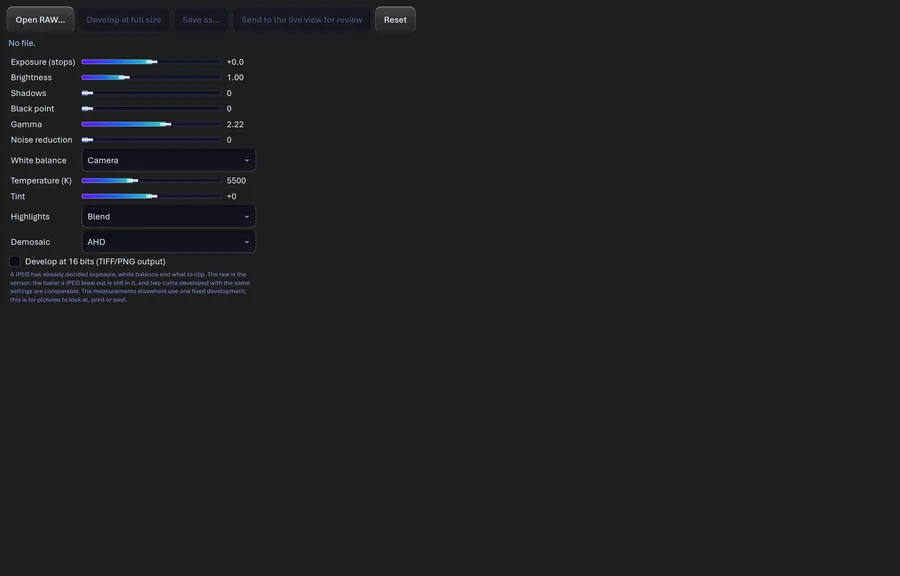
A JPEG is a photo where the camera already made every decision, and on a coin the first casualty is the luster. The raw developer opens the sensor's own numbers, and photographer me gets very happy.
The raw developer. Exposure from -3 to +3 stops, applied to the linear sensor data before any tone curve. White balance presets (including one for a 5000K ring light) or a custom temperature from 2000 to 12000K with a green-magenta tint. Highlight handling that can reconstruct clipped areas from the color channels that didn't clip. And your pick of demosaic method, the math that turns the sensor's checkerboard of red, green and blue pixels into full color: AHD follows edges and is the default, LINEAR is fastest, and there are five more. Save as 16-bit TIFF or PNG if you want every bit of tonal room.
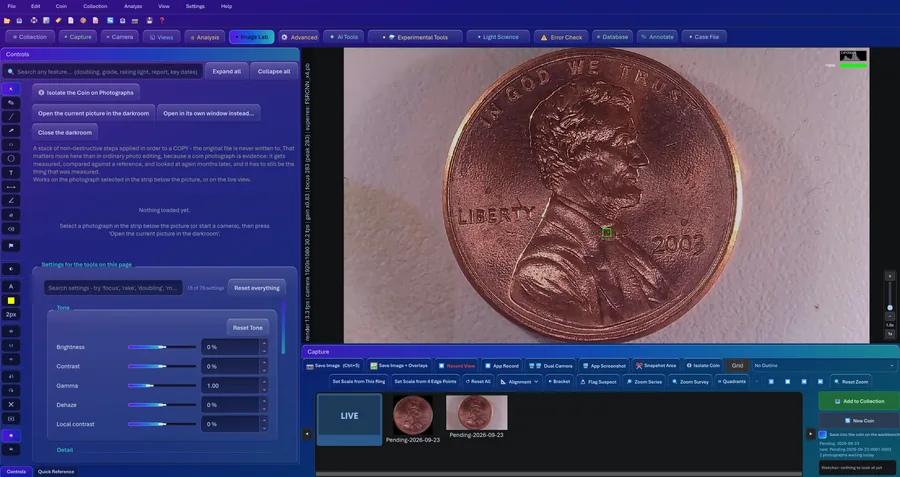
Image Lab. A stack of edits applied in order to a copy: levels, curves, shadows and highlights, clarity, CLAHE (contrast boosted locally, tile by tile), unsharp mask, high pass, Canny edges, ridge lines, emboss, threshold, posterize and more. Reorder them, flip Show Original to compare, and save the result to the coin as a new photo. Your original is never touched.
There's no AI upscaling or generative fill in here, on purpose. That's the difference between finding a die crack and drawing one.
Fifteen Ways to See the Surface
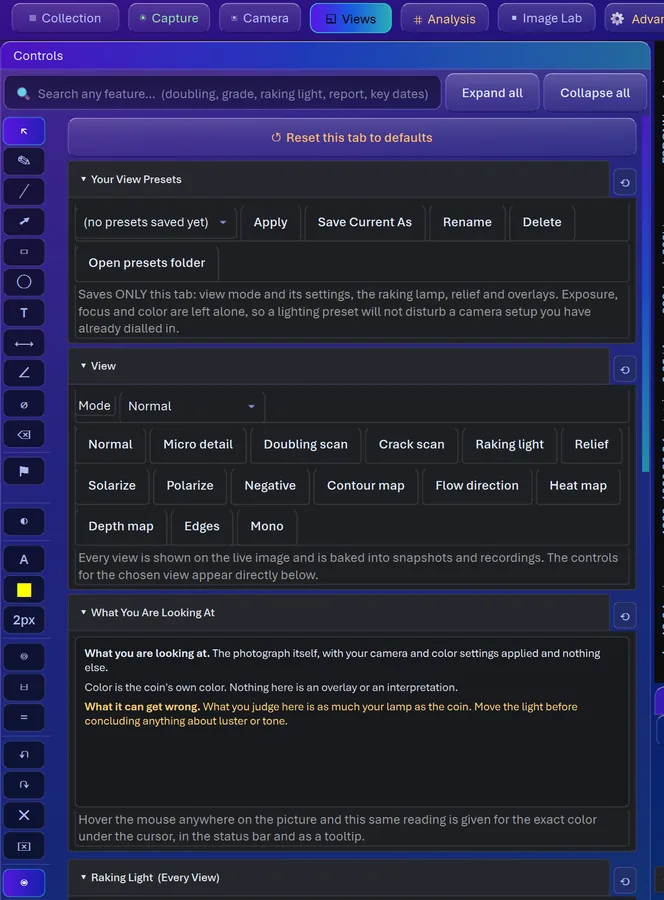
Same photo, rendered different ways, because each one makes a different thing leap out. They work on the live view and on saved photos, and most print a legend right on the picture telling you what the colors mean.
Raking light. This one treats brightness as a height map, works out the slope everywhere, and relights it from a virtual lamp you swing around the coin. A raised line throws its shadow away from the lamp and a scratch catches it on the near side, so swing the lamp and watch the answer flip.
Relief and Contour map. Relief replaces the picture with gray shading from the brightness slope in one direction, like a stone rubbing. Contour map slices brightness into bands (20 by default) and draws a line wherever the band changes, in rainbow colors, like the hills on a hiking map. Doubling shows up as a second contour running right alongside the first, and a crack cuts across them.
Crack scan and Doubling scan. Crack scan paints raised lines (die cracks, gouges, polish) cyan and sunk-in lines (scratches, hairlines) magenta. Doubling scan heat-maps edges that repeat in parallel.
Micro detail, Edges, Flow direction and Heat map. Micro detail is frequency separation: it pulls out the finest scale of detail and boosts it up to 7.5 times on a flattened base. Edges runs an edge-preserving denoise, then Canny edge detection, and drops specks too short to be real. Flow direction colors every spot by which way the surface grain runs, so the radial flow of a strike becomes a color wheel, die polish goes one flat color, and a scratch is a streak of the wrong color. Heat map colors local contrast, brightness, slope or edge density, scaled to the coin rather than the frame.
And the rest. Negative, Solarize (flips the tones above a threshold), a simulated Polarize that dims glare using Malus's law, Mono, and a depth map, which is inferred from one photo and labeled that way.
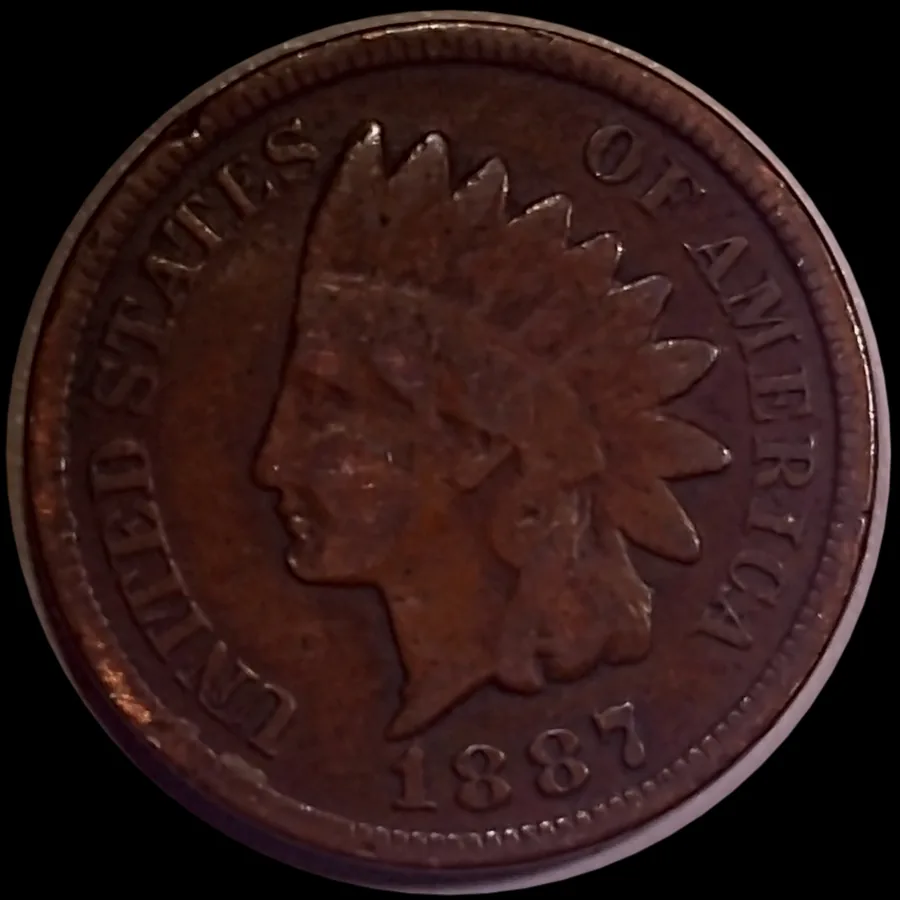
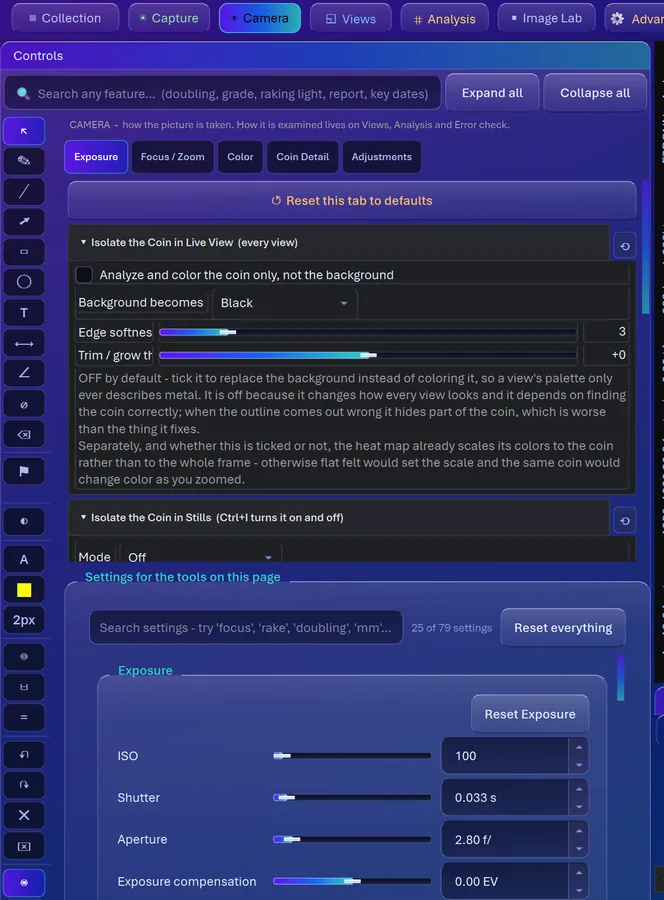
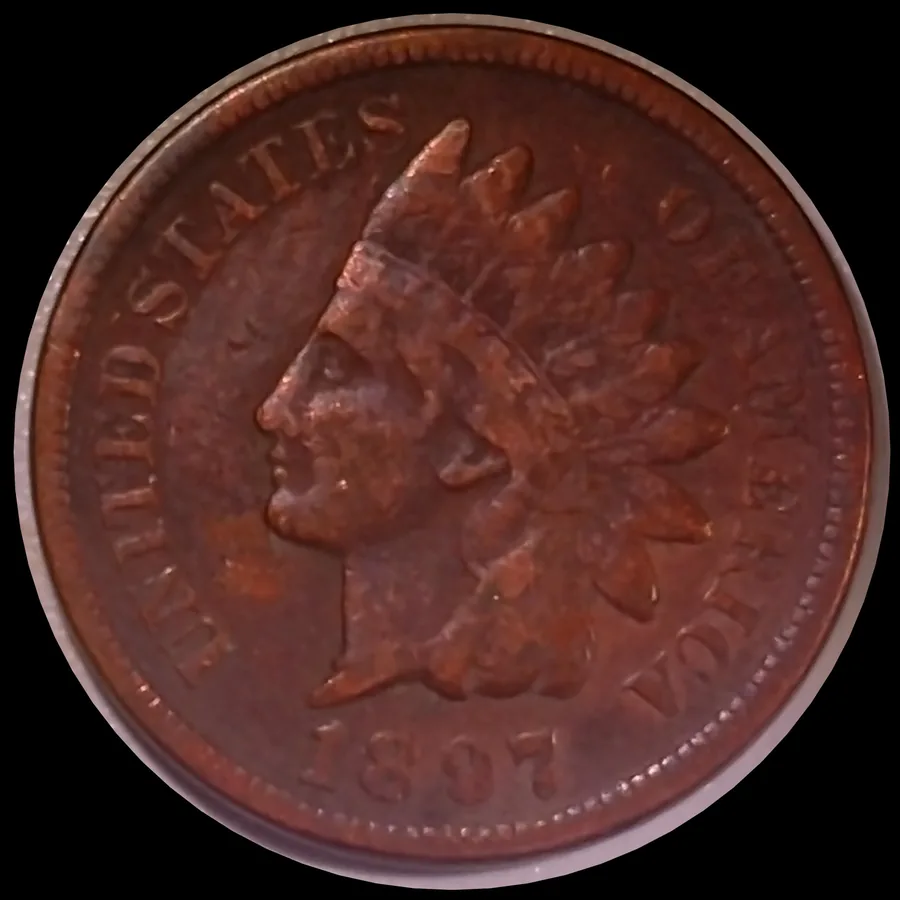
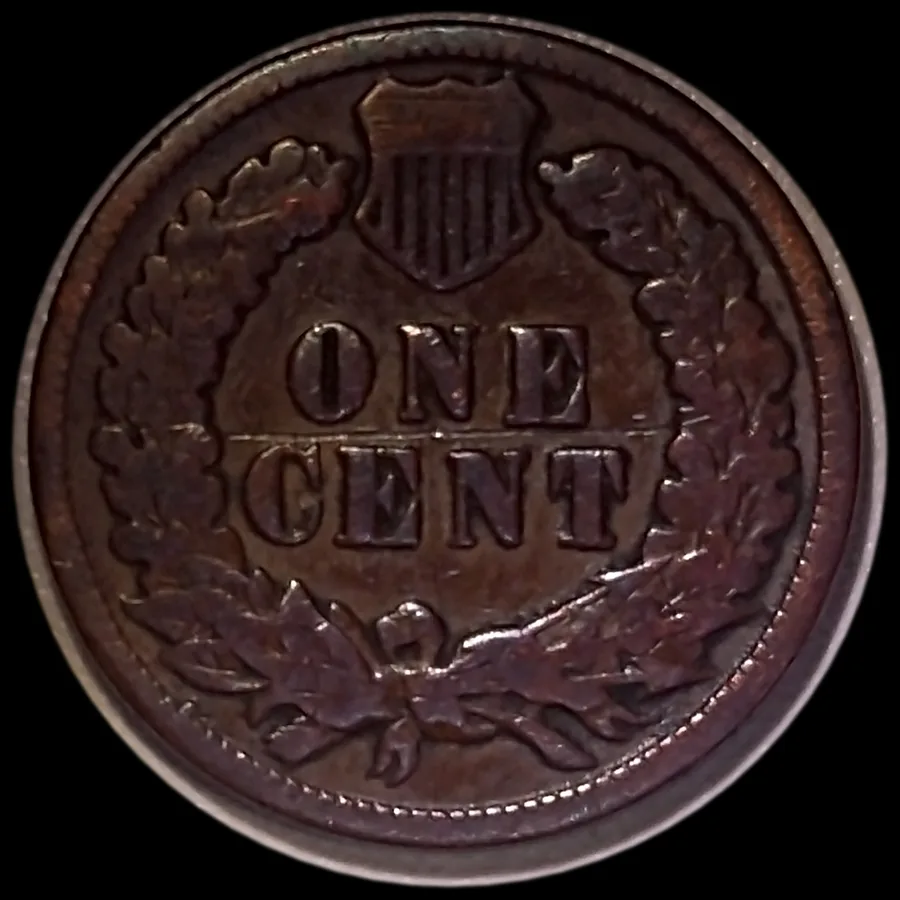
Isolate the coin. Press Ctrl+I and CoinScope Pro finds the coin's rim, fits a circle to it, and saves a square picture centered on the coin with a clean black surround, so the mat, the dust and the ruler all disappear. Black is the default because it makes copper and silver both look their best. You can switch to white, gray, transparent or a color of your choice. The live view is left alone, so you can still see what you are aiming at.
Doubled Dies
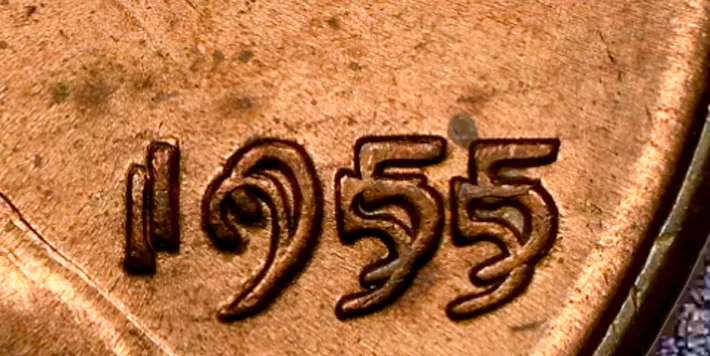
Doubling shows up two totally different ways, so there are two tests, and the stronger one speaks.
The separation test. Lighter classes leave a ghost standing off the main letter. This test hunts for a faint second edge running parallel to the first, trying every offset from 1.5 to 18 pixels in half-pixel steps, and only counting it where it sits at right angles to the edge. You get the spread in pixels (or microns once you calibrate), the direction as a clock position, and a strength reading.
The outline test. Heavy hub doubling, like the 1955 cent, leaves no gap at all. The two images smooshed into one fat letter. So a Hessian line filter traces every raised wall on the coin, and the program looks for walls that have a same-direction partner standing just off to one side. Requiring the SAME polarity is the clever bit: it stops the two sides of an ordinary thick letter from being read as doubling. On the 1955 doubled die it scored 0.70 to 0.82. On a normal 1966 cent it never went above 0.21.
Strike signature. The strike signature uses a structure tensor to turn the surface grain into a flow field, so you can see how metal moved when the die came down. Flow lines run right over hub doubling and get sheared by machine doubling, which is a lovely little tell.
Die Studies
Staring at one letter is how machine doubling gets sold as a variety every single day. These tools zoom out and ask about the whole coin.
The displacement field. The coin gets cut into a 20 by 20 grid, and in every patch the program looks for that low shoulder standing off the strokes and measures which way it's pushed. Then it fits three models to the whole field: a uniform offset, a tilt gradient, or a rotation around a pivot. Each class of hub doubling moves its own way, so the shape of the field tells you the class. It shows up as a heat overlay with arrows, and yes, it's as satisfying as it sounds.
Hub registration. This fits ONE rigid move to the whole coin, but fits it on one region and makes it predict a region it never saw, six different ways. Then it shuffles the patch positions 200 times to see how often chance does as well. That's a proper held-out test with a p-value, the difference between a real pattern and wishful thinking with math on it.
Die consensus. My favorite. Each coin gets unwrapped into a strip, like peeling a label off a can, aligned by rotation and averaged with the outliers trimmed off. What's left is the die itself. Then every coin shows its EXTRA metal (damage, or a later die state) and its MISSING metal (wear, weak strike, a grease-filled die) against that die. Two coins is suggestive, three or four tells a die feature from damage, five or more and it's on the die.
The die-state tracker. Build a library of die marriages and it orders coins from early to late die state by how the cracks and wear grow, then tells you where in that die's life a new coin was struck.
Doubled Die, or Machine Doubling?
This is the question that decides whether your coin is worth a car payment or a cent. A doubled die was doubled in the die, so the second image was STRUCK and stands up with its own rounded crest. Machine doubling happens when the die bounces on the way out, so it's a flat shelf shaved off the side of the letter. You can't settle that from a flat photo. You settle it with light.
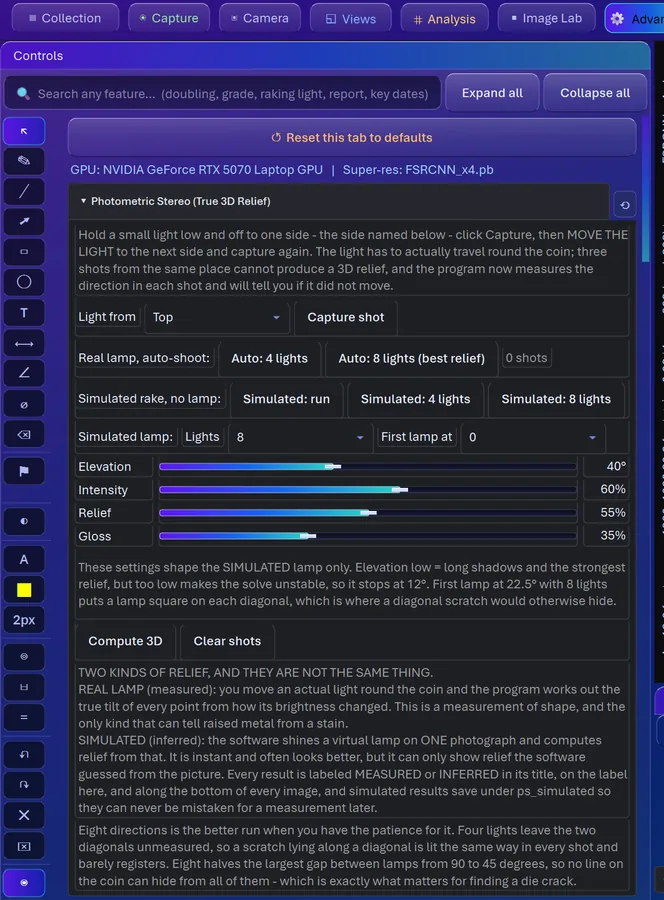
How it works. Frame the letter and move a lamp around it through up to eight positions (it counts down for you). With those shots, photometric stereo solves the actual shape of the surface: brightness depends on the angle between the surface and the light, so several known lamp angles give you the tilt of every pixel, and the tilts add up to a height map. Then it cuts cross-sections across the paired edges and averages them.
What you see. The cross-section itself, drawn with its spread, and one of four calls: hub doubling (two crests of similar height), machine doubling (one crest and a shelf), no doubling, or not decided. It needs at least four shots. Three is the mathematical minimum, four is the honest one.
If the relief isn't clearly above its own noise, or has no direction (it's texture, not a letter), it says so instead of guessing. On its known-answer set it got 10 right, 0 wrong and 2 undecided, and it refused every fake input it was fed: noise, shuffled relief, a flat field, a tilted plane.
Lines, Cracks and Hairlines
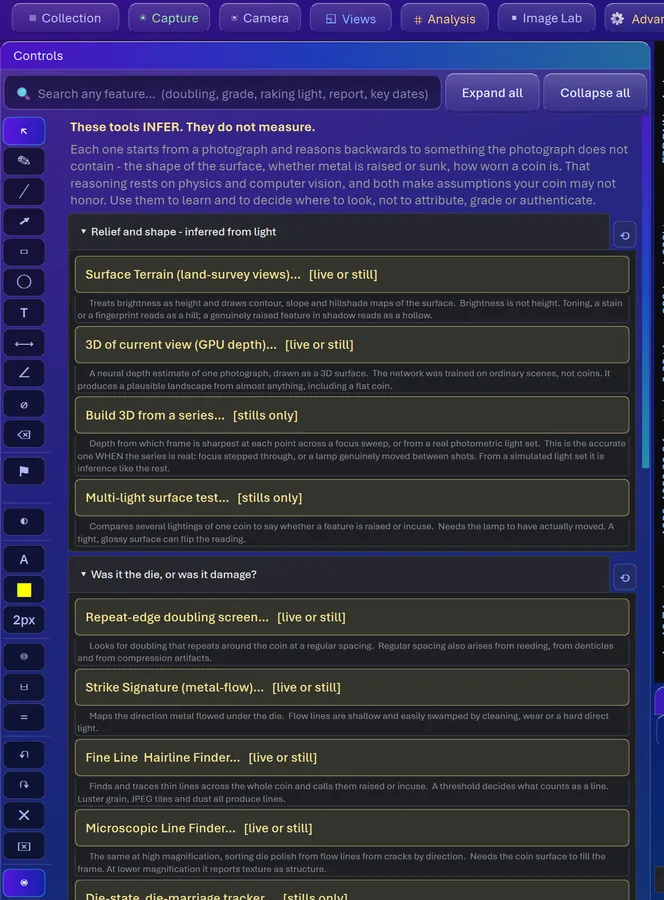
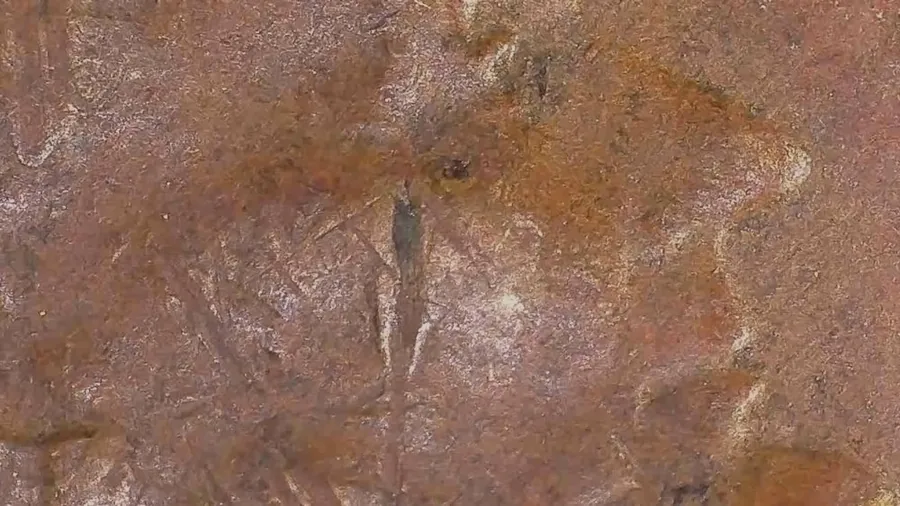
A line on a coin can add value or kill it. Raised lines were struck in: a die crack wanders and grows, a gouge is straighter and heavier, die polish is a bunch of fine parallel lines. Sunk-in lines were cut into the coin later, and that's damage. The whole question is raised or sunk.
The fine line finder. A multi-scale Hessian filter (the Frangi vesselness filter, originally built to find blood vessels in medical scans) reads the curvature of every line. A convex ridge catches the light, so it's raised. A concave valley holds a shadow, so it's sunk in. Raised lines draw amber, sunk-in hairlines draw cyan, and it tells you whether the lines share one direction (polish) or run every which way (wiping).
The microscopic finder. For when the surface fills the whole frame. A Gabor filter bank, 16 directions at three wavelengths, finds the strongest line response at every pixel and colors it by direction. Then a direction histogram weighs in: tightly parallel lines are consistent with die polish, and mixed radial ones with metal flow. Cracks are the strongest, longest responses of all.
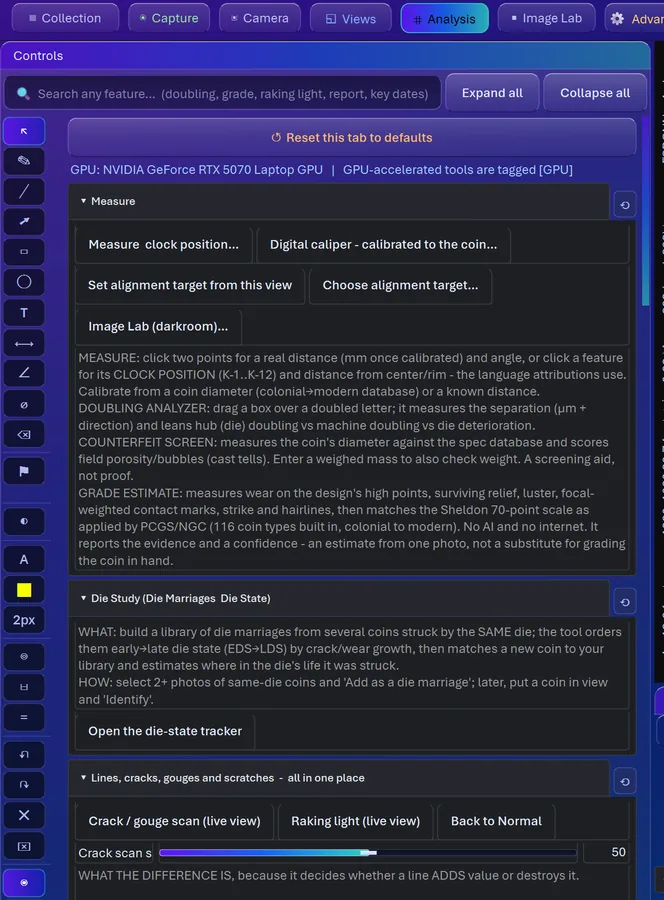
Die Crack Map. A die that is breaking up does not crack in one tidy line. It shatters, and the cracks branch, meet and run into each other like a map of back roads. Die Crack Map traces the whole network on the Advanced tab and draws it over the coin, so you can see where the die was failing, not just the one line that caught your eye. It shows you the raised lines it followed. It will not tell you what the coin is worth.
Cleaning and Luster
A cleaned coin is worth a fraction of an original one, and this is the question everybody at the show wants help with. So this scan runs three separate tests and shows you all three.
Raised or sunk. Die polish is raised. Cleaning scratches are cut in. Only the centers of lines are counted, and the share that's raised gets reported.
Do the lines respect the design? Wiping crosses devices and fields alike. Die polish stops at the devices, because the polishing was done on the die.
Which way do they run? Circular statistics on the line angles give a number from 0 (every direction) to 1 (one direction). A hand moves one way, so high means consistent with wiping, and low means ordinary handling. When the tests disagree, it tells you they disagree instead of mashing them into one answer.
Luster as a light field. Luster isn't brightness, it's how the highlight MOVES. Shoot the coin under four or more lamp angles (six is better) and it fits every pixel's brightness to a cosine curve across the angles. Real mint luster sweeps strongly and lines up with the radial flow of the strike, the cartwheel. A polished or whizzed surface doesn't line up. You get three maps: luster, agreement with the strike, and reliability.
The Watcher and Anomaly Detection
Error hunting runs out of attention long before it runs out of magnification. Trust me, I have ADHD. So here's a set of eyes that never gets bored.
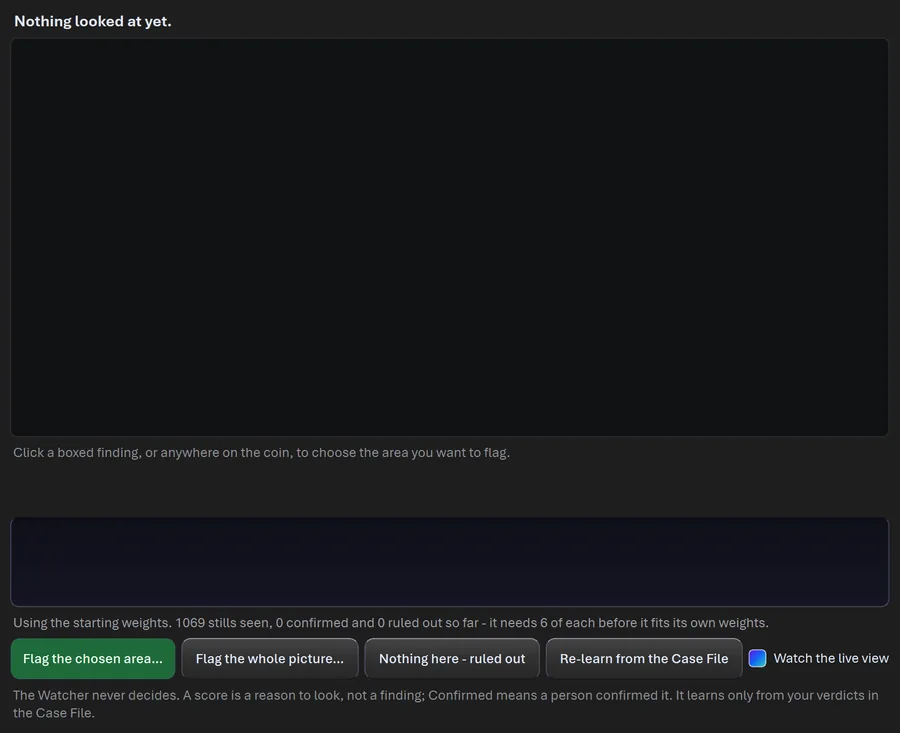
The Watcher. It takes 14 features from the detectors (doubling, lines, gouges, marks, color and texture patches, rim trouble, edge energy, focus) and turns them into one score from 0 to 100 percent, with the reasons listed and a Flag button beside each. Here's the geeky part: once you've confirmed 6 cases and ruled out 6 in your Case File, it fits a logistic regression to YOUR verdicts. It learns from what you decided, never from its own scores.
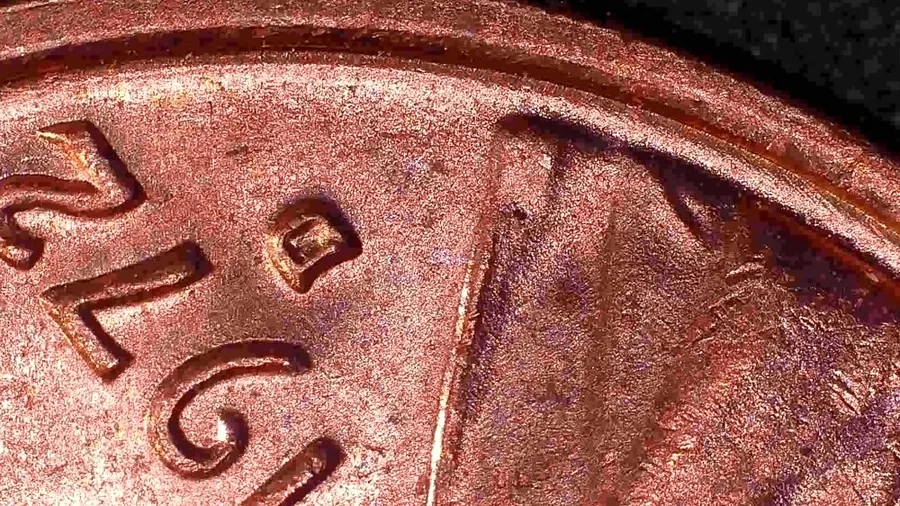
Anomaly detection. Seven detectors run at once (doubling, line, gouge, mark, rim, color, texture), each drawing its own color of box, merged into one ranked list of the top 20.
Above or below the field. Surface analysis reads whether a mark is raised or sunk from how light pools around it: raised has a bright core and a dark collar, sunk-in is the reverse, and it calibrates the sign against the coin's own lettering. It got the sign right on 41 of 41 photos. Raised means the die had it (maybe a variety). Sunk means somebody did it later.
The full coin survey and the vision check. The survey chops the face into 6 rings by 24 sectors and compares every one against the median of a group of coins, which stands in for the die. The vision check runs a pretrained vision network over every patch, builds a memory from clean coins, and ranks the strangest spot on yours. In testing, 6 of 6 die chips came out number one.
Measurement and Calibration
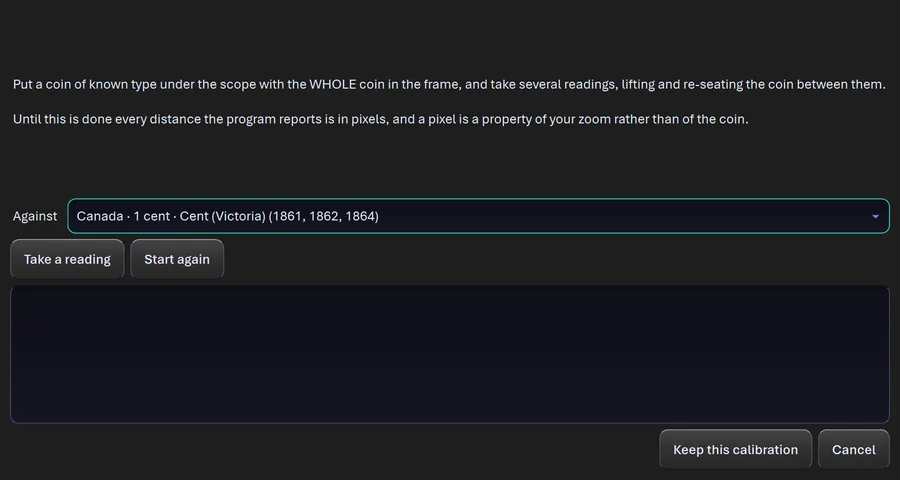
Before calibration everything is in pixels, and pixels describe your camera, not your coin. The Measurer in me can't stand that. So calibrate once and the on-screen caliper reads in millimeters and microns.
The coin is the ruler. US coin diameters are fixed by law to a hundredth of a millimeter. The program finds the rim with a least-squares circle fit and divides the known diameter by the rim's width in pixels. Take a few readings and it refuses the calibration if they disagree by more than 0.8 percent. Done right, that's about 0.1 percent of the coin's width, roughly 25 microns on a quarter.
Or use a stage micrometer or a ruler in the picture, or save a scale for each zoom setting of your scope.
A caliper that acts like one. Jaws that snap to the strongest edge near where you drop them, ZERO, ABS and HOLD buttons, and millimeters and inches side by side.
Then check the coin. Measured diameter (and weight, if you have it) gets matched against a spec database of 266 coin types. And the Surface Survey lines up several coins of one type and takes the per-pixel median, which is the die, then marks every cell EXTRA (metal where the die had none: doubling, a chip, a cud) or MISSING (wear, a weak strike, a filled die), each labeled raised or sunk.
It asks before you measure in pixels. Two mistakes ruin a measurement without any error message: measuring before you have calibrated, so every number comes back in pixels, and measuring a frame that is mostly table. The first time a measuring tool is about to run into either one, CoinScope Pro says so once and offers to fix it. Beside every measuring tool a small line says, the whole time, whether your answer will come back in millimeters or in pixels. It never blocks you. You know when a quick look is all you need.
Comparing Coins
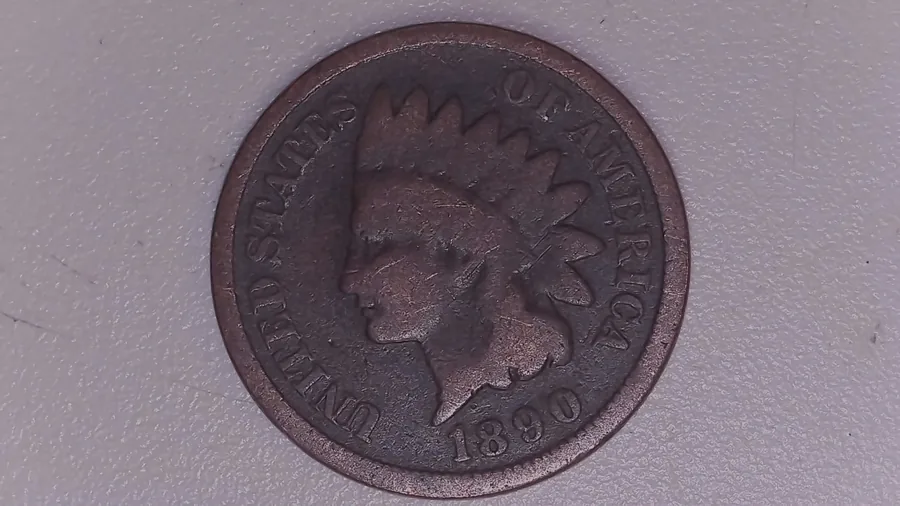
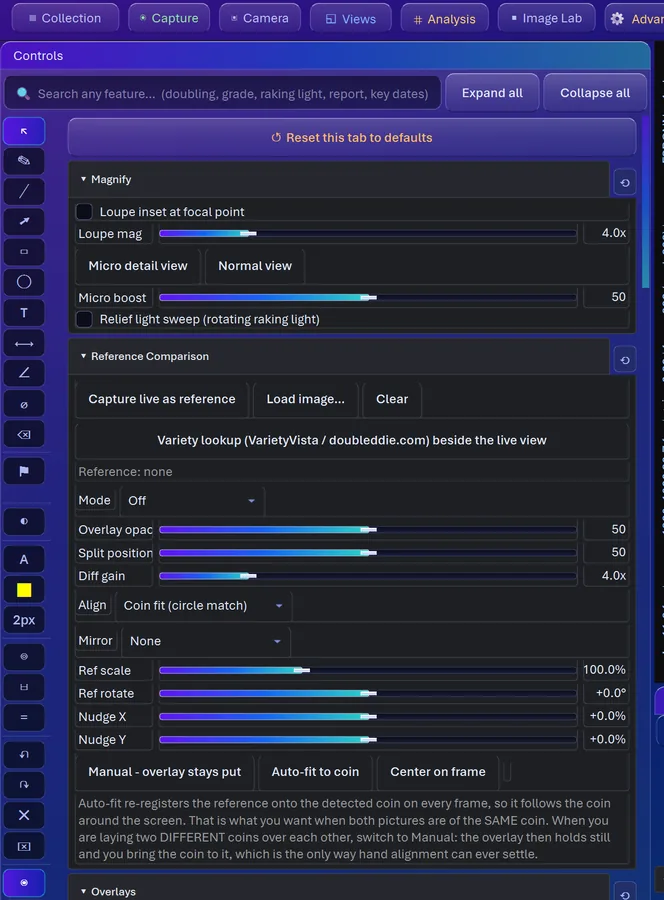
Comparing two coin photos sounds easy until you realize you're mostly comparing your lamp. So this goes in stages.
Alignment Lab. First ORB features plus RANSAC find the rotation, scale and shift (RANSAC keeps trying random sets of matching points and trusts the answer most of them agree on). Then ECC refinement nails the match to a fraction of a pixel inside the region you draw. Then dense optical flow irons out local warping from a tilted shot or a warped planchet. View the result as Blink, Difference, Structural similarity, Overlay, Checkerboard or a Wipe you drag across.
Precision Compare. This one strips out everything that fakes a difference before it says a word. Lighting drift gets matched neighborhood by neighborhood. Sensor noise gets measured at every pixel, and each change is scored in standard deviations above that noise. You get a significance map, a signed map showing metal added or removed, which photo is the odd one out, a sharper 2x composite, and a ranked list of hotspots. One-off damage pops right out against everything that coins from one die share.
Reading Wear and Condition
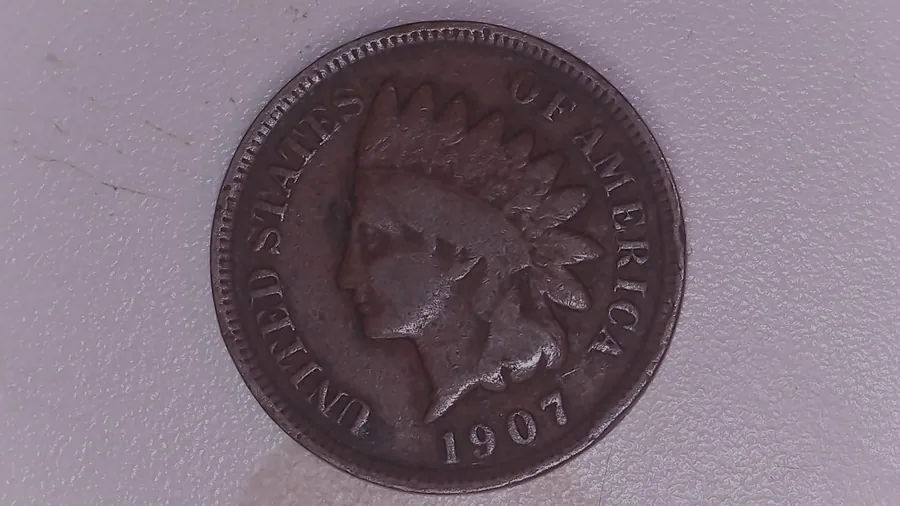
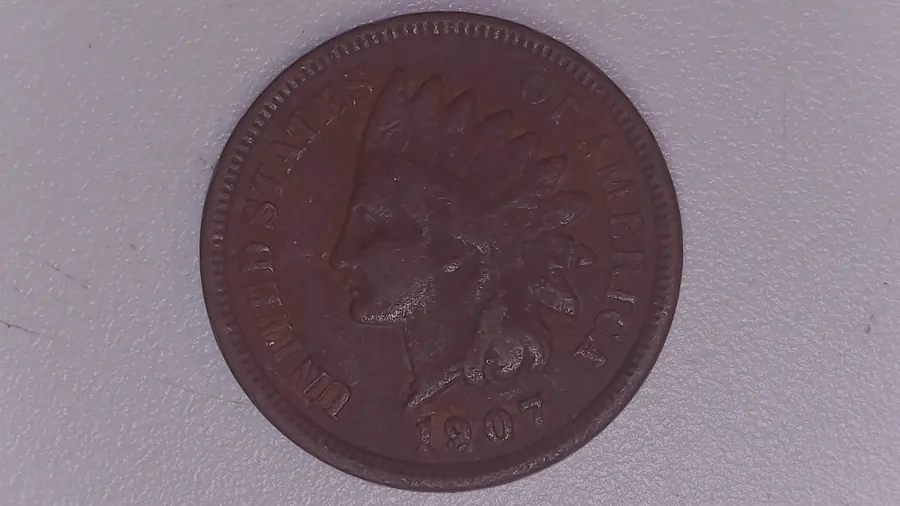
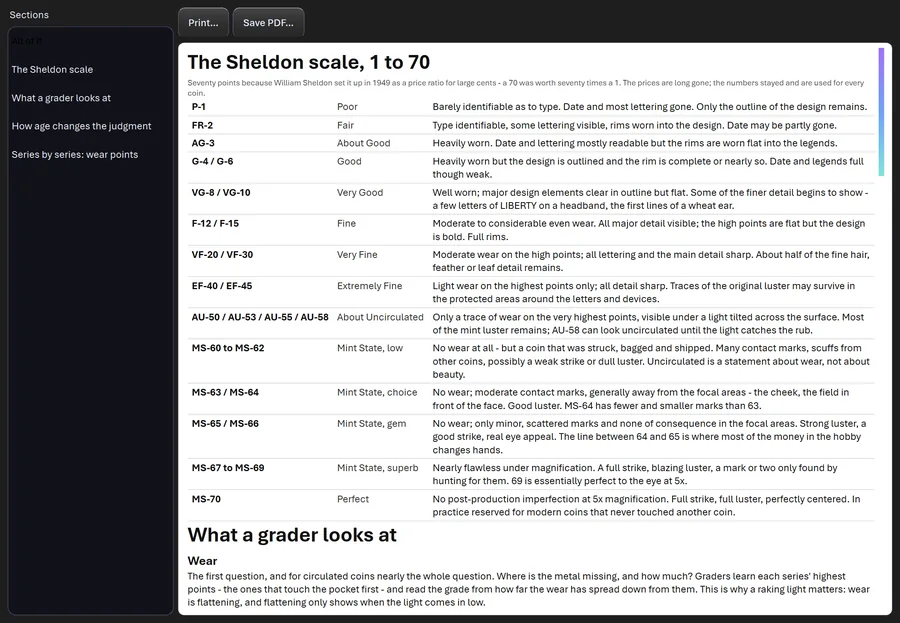
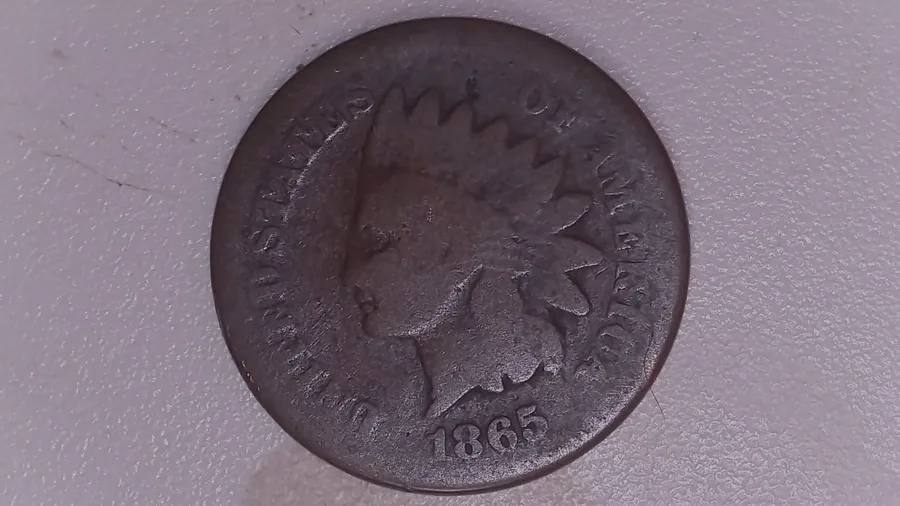
This one turns what you'd squint at into numbers and lays them against a 30-step Sheldon ladder from PO-1 to MS-70.
What gets measured. Wear is the share of the design that's gone flat, meaning low slope where there used to be relief. Relief retained compares the slope on the design to its own best areas. Luster is the fraction of pixels throwing a bright, colorless highlight. Contact marks are small blobs in the field, counted per area and weighted by where they are: double near the center of the face, half out by the rim.
What you see. Each number beside the range the ladder expects for it, in plain words like "this is almost VF-30." The fun is when they argue. If wear says XF and luster says Fine, something's up with the coin or your lighting, and now you know where to look.
Relief Retention. This compares each zone of the coin with the best-preserved coin you photographed in the same session, so your camera and lamp cancel out. If the losses break the natural order in which coins wear, it flags the coin as possibly cleaned, polished or damaged.
Three Dimensions
Here's where the Light Scientist gets to play. There are two real ways in here to measure the shape of a coin, and they share almost none of their assumptions.
Photometric stereo. A surface facing the lamp is bright and a surface tilted away is dark. Shoot the coin with the lamp in three or more known positions and the program solves the tilt of every pixel, then integrates those tilts into a height map with the Frankot-Chellappa method (a frequency-domain solve that stitches millions of tiny slopes into one smooth surface). That's a real measurement.
Depth from focus. Take several shots while you roll the focus from one end to the other. Every point is sharpest in the frame where it sat exactly in the focal plane, and that lens position IS its height. Before it computes anything, it checks the stack is worth trusting: enough of the coin has a clear sharpest frame, the peak isn't stuck at either end, and the steps aren't wasted. The math is verified on synthetic stacks so far, and it labels real-coin results unverified until it's proven on a real one.
The 3D viewer. The result becomes a mesh on your graphics card with your photo wrapped on it. Orbit it, zoom it, exaggerate the height, and drag the light around to relight the coin after the fact. Export it as an OBJ with its texture for Blender, MeshLab or the Windows 3D Viewer.
Shadow or substance. Multi-light analysis splits a light set into albedo (the surface itself) and shading (the light). A shadow disappears from the albedo and real metal doesn't. On one test set, doubling on LIBERTY survived that split just like genuine surface does.
Owner ID: Your Name in the Pixels
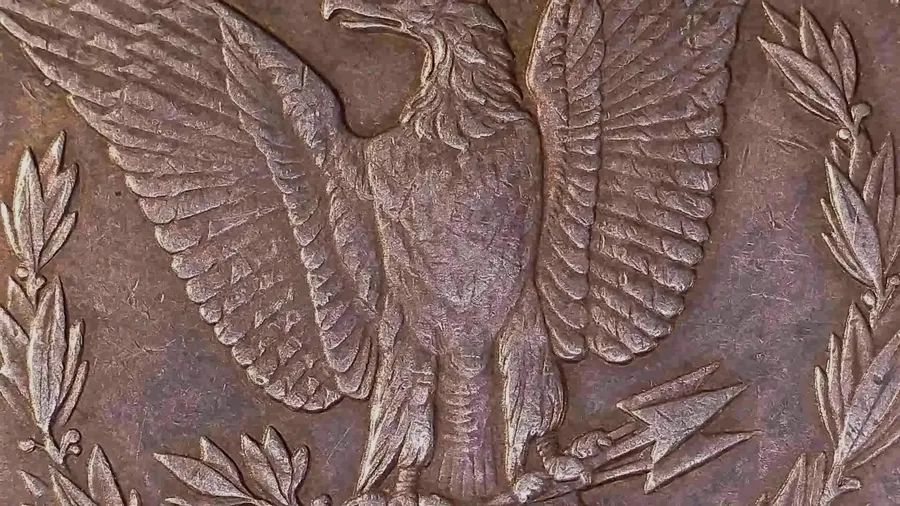
Every photo this program saves carries your name, copyright and a cryptographic seal in its metadata. But metadata lives beside the picture, and a screenshot or an upload to a marketplace drops it without a word. The stolen copy is exactly the one that no longer says whose it is. So I borrowed an idea from the AI image generators.
A pattern you can't see. When a photo leaves (an export, a listing, a share), the copy gets a faint pattern spread across the whole image. It sits in the middle frequencies on purpose: fine detail is what JPEG throws away first, and broad shading is what your eye notices first, so the middle band survives compression and stays invisible. It's also stronger where the coin is busy and fainter where it's smooth, because the eye hides a change inside texture.
A number anyone can look up. The pattern carries a registry number that coinscopepro.com/registry/ turns back into an owner, sent through the same kind of error-correcting code used on deep-space links. It reads back through JPEG saving, resizing to listing and phone sizes, and brightening. A read counts only when every check agrees. Tested against 492 unmarked photos, it reported a mark on none of them.
Your originals stay clean. The measuring tools hunt for exactly this kind of faint structure, so a mark in a photo they analyze would be the program finding its own fingerprints. The mark goes only on copies that leave. It won't survive heavy cropping, so think of it as a return address, not a lock.
Whose Photograph Is This? Found one of your coin photos on a listing or a forum? Choose Collection > Whose Photograph Is This? and open the picture. If it carries an owner ID, CoinScope Pro reads it back and tells you whose it is, even from a picture that has been resized or saved again. If there is no ID in it, it says so instead of guessing.
Identification and the Catalog
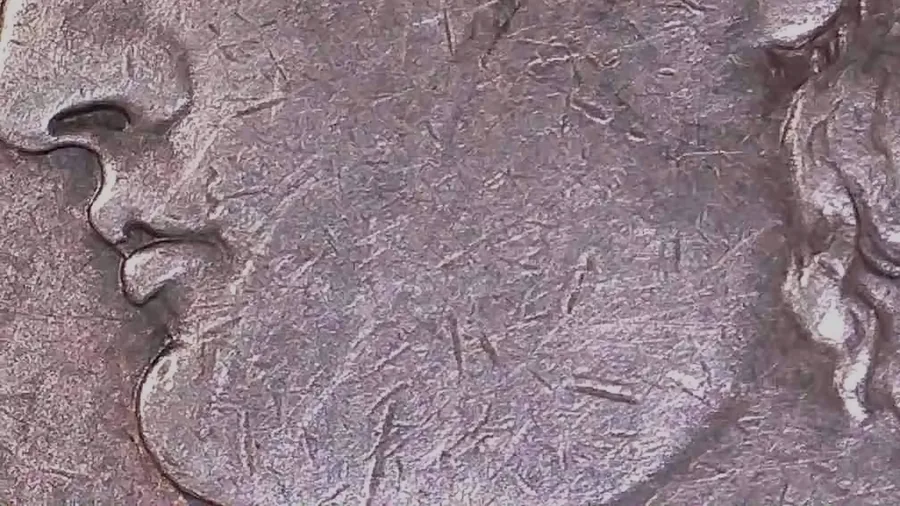
The spec database. 266 coin types from colonial issues to today, US, Canada and Mexico: diameters, compositions, designers, mintages and key-date standing, all stored locally. Plus the Wexler and CONECA error and variety taxonomy, 79 error types from die errors to planchet and strike errors.
The text reader. The hardest kind of reading there is. Normal OCR expects ink: dark, flat, evenly lit. A date on a coin is raised metal on a curve, readable only by its shadow, and usually worn. So the work is turning relief into contrast, straightening curved legends, and then limiting answers to what a coin can actually say. A US date has to fall between 1793 and next year, and there are only about 30 possible legends, so "UNlTED 5TATE5" becomes UNITED STATES. It shows its confidence as a word and a percent, and it lives on the Experimental tab.
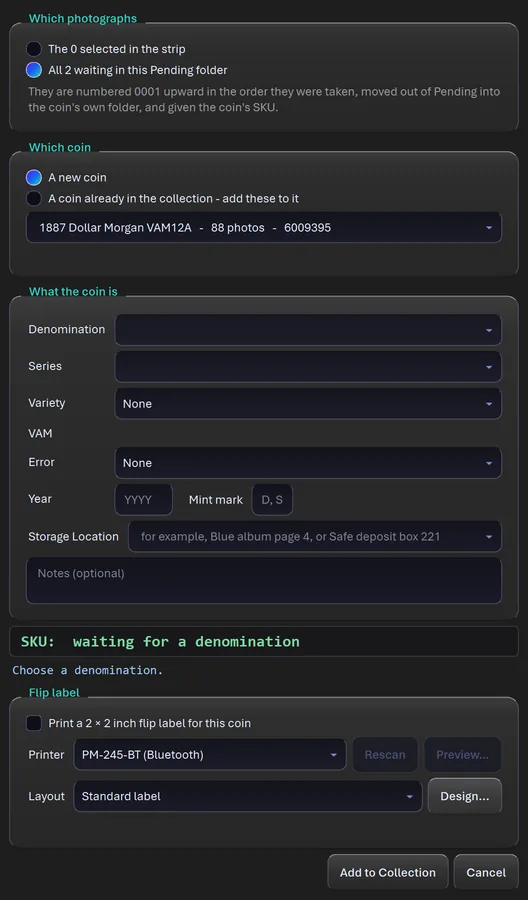
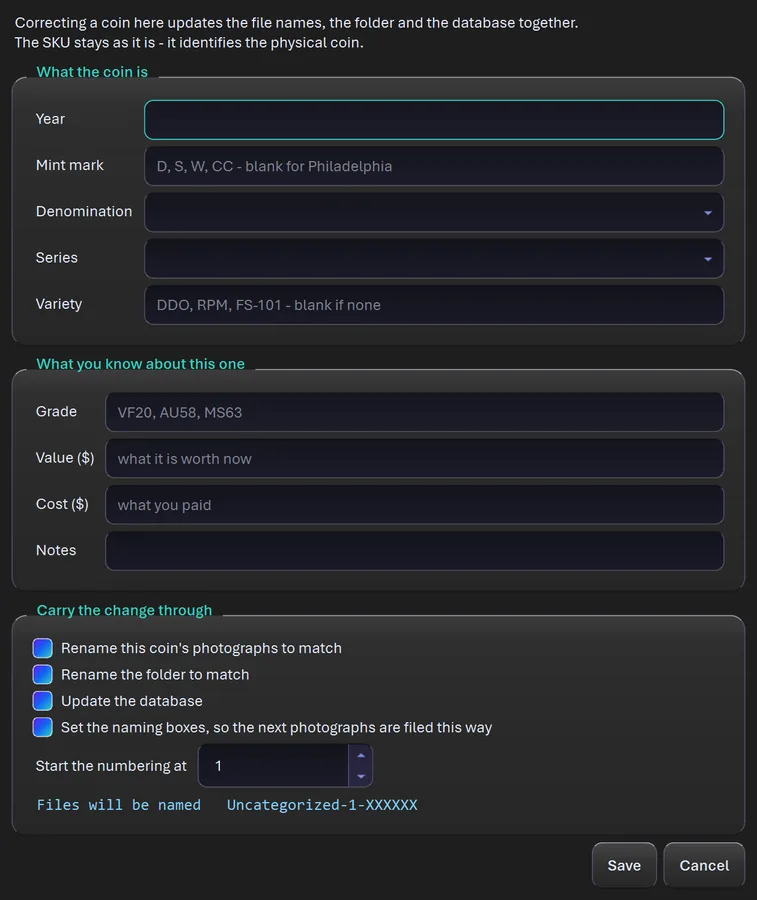
A permanent SKU. Every coin gets a 7-digit SKU: a 2-digit denomination prefix (01 for a cent, 60 for a dollar) plus five random digits. It never changes, even if you fix the denomination later, and a deleted coin's SKU is retired forever. An ID computed from how a coin looks would change the minute it got cleaned or rephotographed.
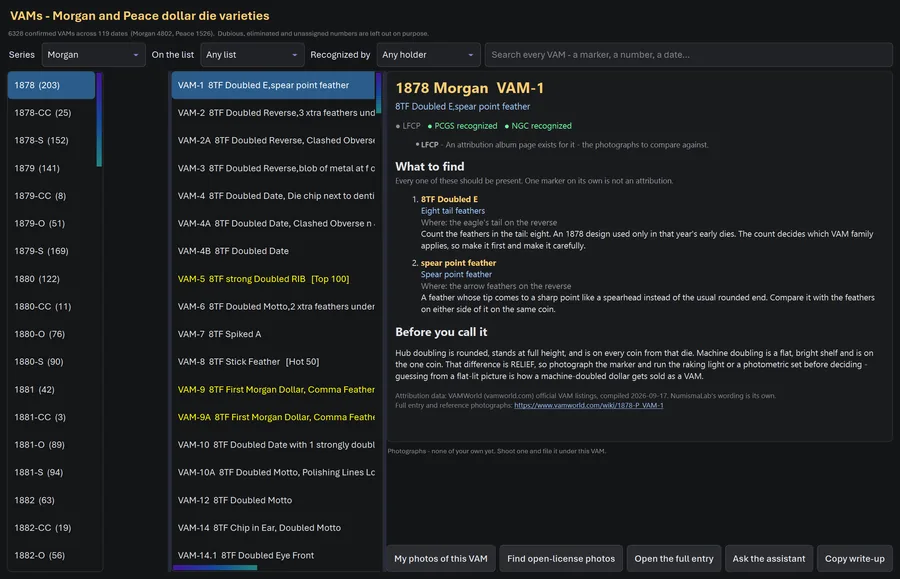
VAM Attribution
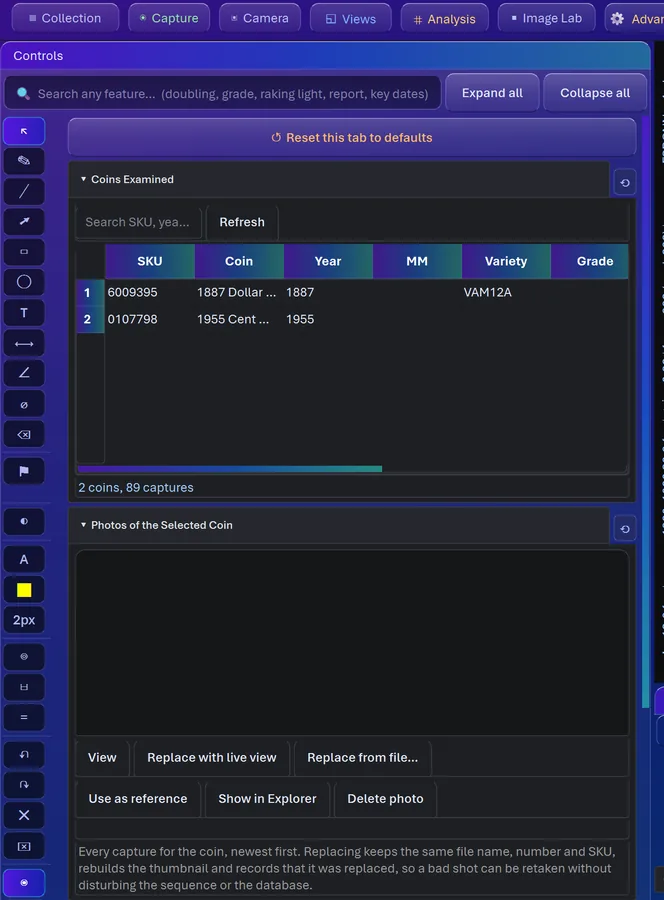
The Van Allen-Mallis catalog, 6,328 VAMs across 119 date and mint pages, 95 Morgan and 24 Peace. Every VAM's title is broken into its separate diagnostic markers, and each marker is written up in plain words: where to look and what you should see.
Three columns, in the order you actually work: pick the date, pick the VAM, read the write-up (What to Find, The Date Itself, Before You Call It). Filter by the collector lists (Top 100, Hot 50, Hit List 40, Top 50 Peace, Elite 30 and more) or by which services recognize it. Pull up to 8 of your own photos beside it, or find open-license photos on Wikimedia Commons. You're the one who decides, and now you've got the checklist.
Roll Searching
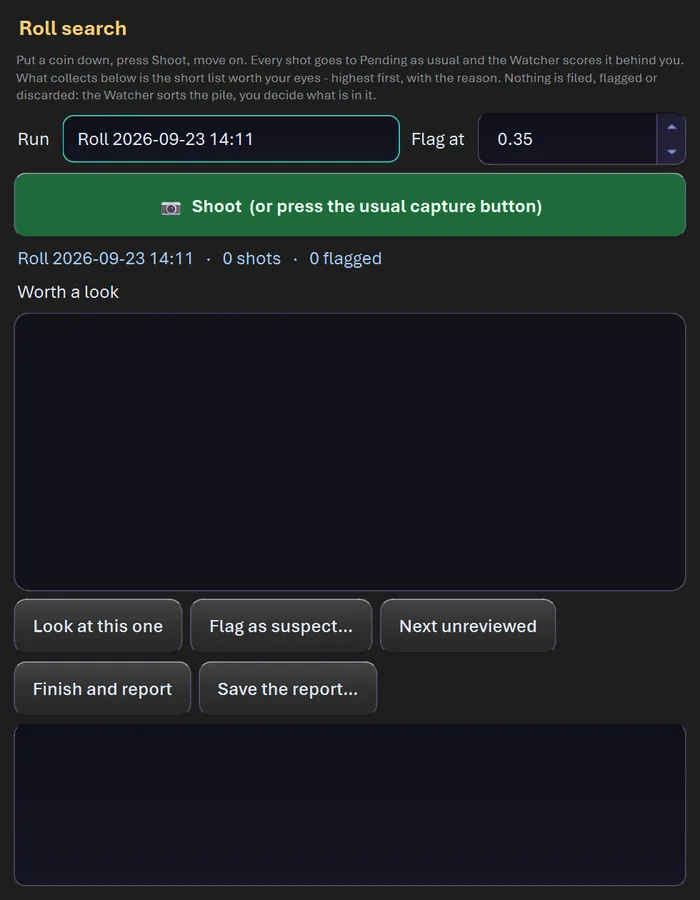
Fifty cents in a roll, two sides each, and maybe one deserves a second look. Taking the pictures is easy. Looking hard at a hundred faces is where everybody (me) gets bored and sloppy.
So you put a coin down, press Shoot, and move on. Every shot goes to Pending and the Watcher scores it in the background. You get a Worth a Look list, highest score first, each with up to three reasons, a Flag At threshold you can slide, and a running count of shots, flagged and coins per minute. Then Look at This One, Flag as Suspect, Next Unreviewed. Nothing gets filed or thrown out on its own, so the zero-score coins are still sitting in Pending if you want them.
Your Collection
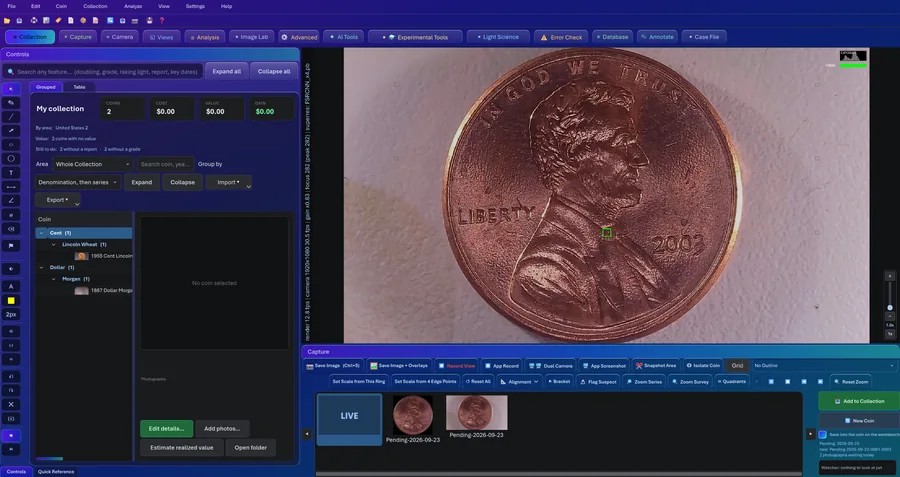
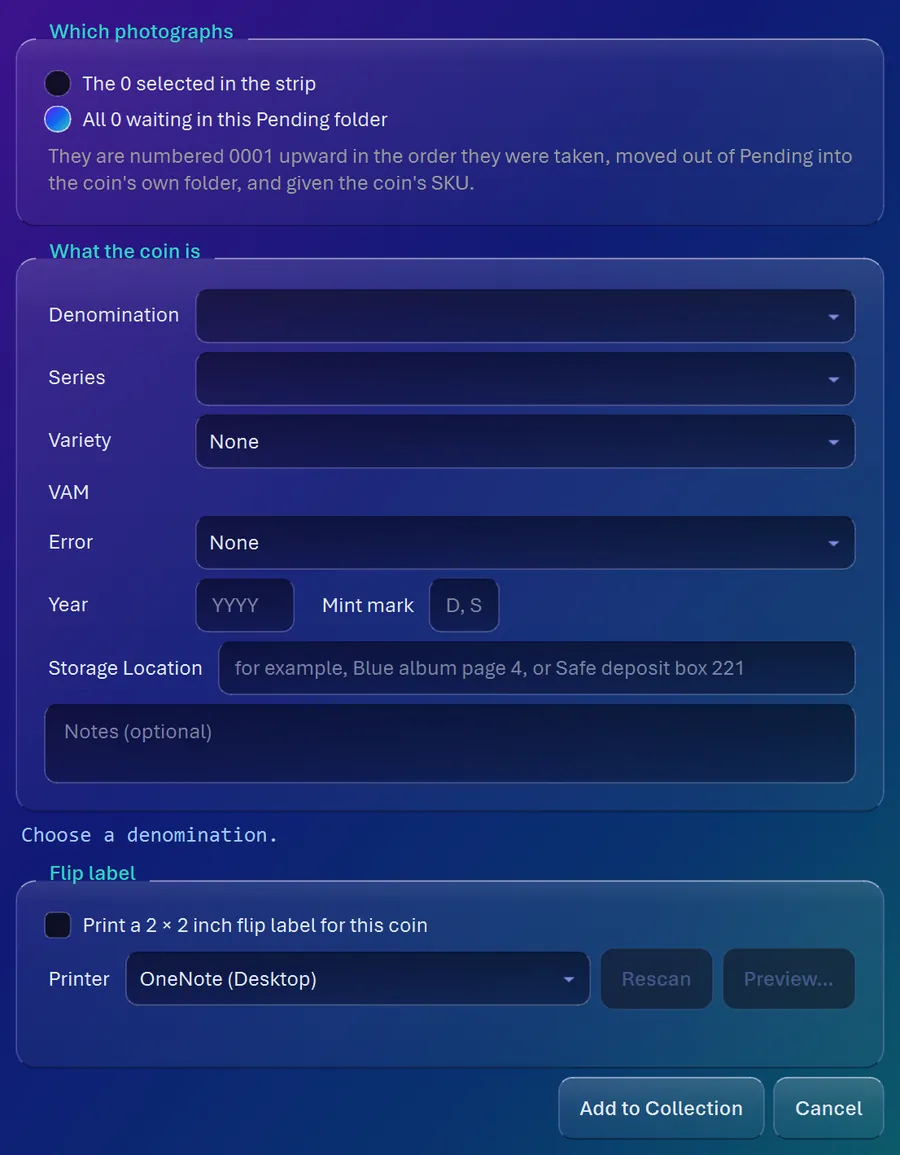
One record per coin with its photos, year, denomination, series, variety, grade, what you paid, what it's worth, provenance, your notes, the shelf or box it actually lives in, and its permanent SKU.
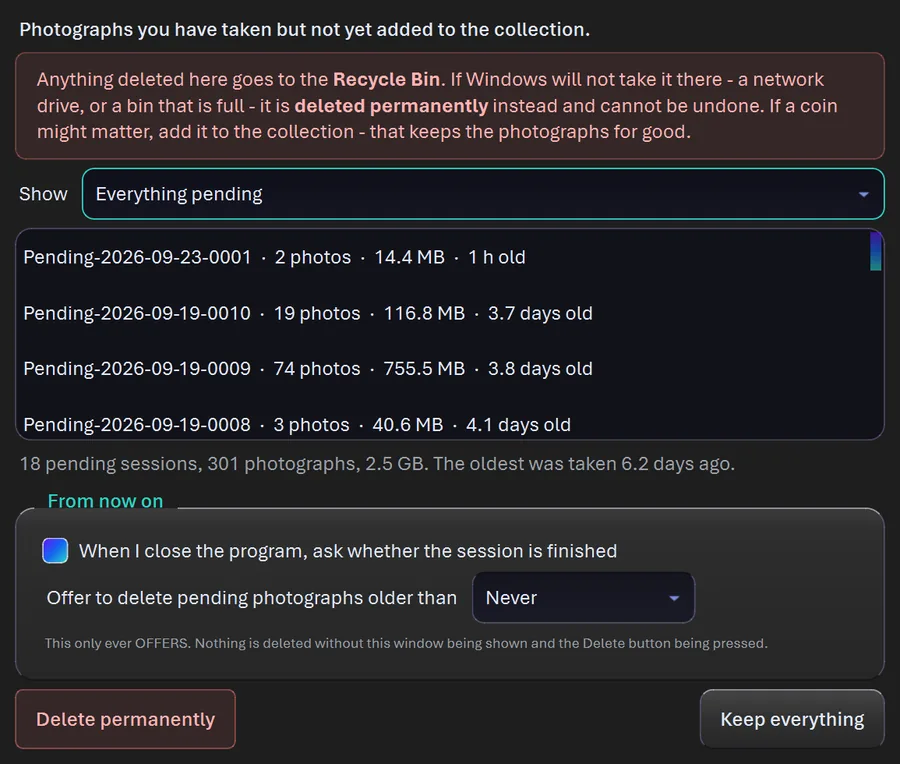
Photos you take before you know what the coin is wait in Pending, one folder per coin, and nothing gets filed or gets a SKU until you say what it is. Close the program halfway through a coin and it opens right back up on that coin. Speaking as someone who gets interrupted every four minutes, that feature is for me. Any filed coin can go back on the bench so every tool can take another crack at it.
Names I Have Typed. Every denomination, series, variety, error name and storage location you type is remembered and offered back the next time, so the Blue album stays the Blue album. If you made a typo that is now in 40 coins, fix it once under Edit > Names I Have Typed, where you can rename a name everywhere or remove one you no longer use.
World Coins, Tokens, Bullion and Challenge Coins
Open the collection and it's sorted by area: Whole Collection, United States, Canada & Mexico, Europe, Asia, Africa, Oceania, Central & South America, Caribbean and Ancient World. Each area shows its own count, cost and value, with the value broken out so you can see how much came from reported sales, how much is an estimate and how much you typed in yourself.
Type a country into a coin's details and its Period and Denomination lists fill themselves in. Sixty-two countries and ancient issuers are written out by hand with their periods, currencies and denominations: most of Europe, Russia, China, Vietnam, Japan, India, the Koreas and more. Hundreds more countries and historical states come with the currencies they used, from Wikidata (public domain). All of it ships inside the program and works offline.
You can search Numista from inside the coin with your own free Numista key, which Windows keeps encrypted. Only the coin's N# gets saved, and its Numista details show up marked "Source: Numista".
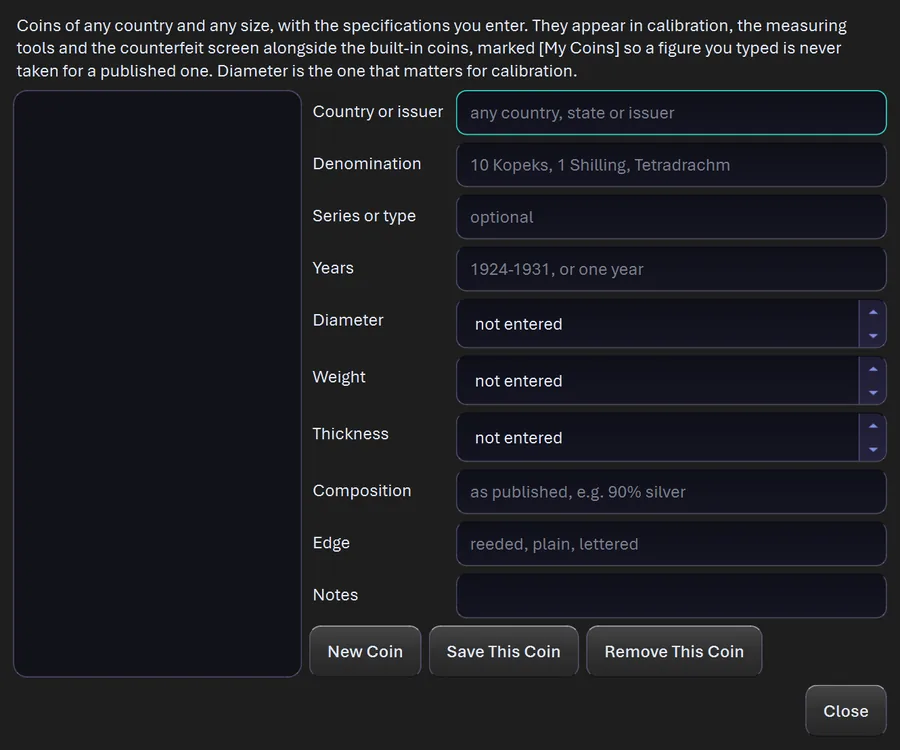
My Coins takes the specs for any coin from any country, any size. Once you enter it, it's in the calibration list, the measuring tools and the counterfeit screen, marked as your own figure so nobody mistakes it for a published one.
Not everything worth keeping is a coin of the realm. Pick Token and you get 31 kinds to file under: Civil War and Hard Times tokens, transit, trade and casino tokens, Mardi Gras doubloons, love tokens, So-Called Dollars, elongated and encased coins, even wooden nickels. Challenge coins get their own home too: every branch of the service, first responders, agencies, clubs and sobriety medallions.
Bullion is covered the same way. Silver and gold bullion, commemoratives and private mint silver each have their own type, and melt value is worked out from the metal prices you set. It’s kept apart from what the coin is worth to a collector, because those are two different numbers. The same measuring bench, labels and records work on all of it. More on token, challenge coin and bullion collecting.
Ancient Roman Coins
A Roman bronze that spent a few centuries in the dirt almost never shows a date, and the mint mark is usually long gone. What hangs on longest is a scrap of the legend, so the Roman lookup searches on exactly that. Type the letters you can read and partial words still match: VICTORI finds VICTORIA. The Roman nerd in me is thrilled.
It holds 56,763 published types: 52,054 Imperial types keyed to Roman Imperial Coinage (RIC), 2,602 Republican and 2,107 Byzantine, across 173 rulers and 81 mints. It's built from the American Numismatic Society's open typology, credited in the program, and it searches completely offline.
The Ancient World area files a coin by who issued it instead of by a modern border: Lydia and Ionia from about 630 BC, the Greek city-states and kingdoms, Persia, the Roman Republic, Empire and Provincial issues, Celtic, Ancient India, Ancient China and Byzantium. Every coin gets a spot for its ruler, its date as written, its obverse and reverse legends and its references: RIC, KM#, Sear.
Look it up by the legend. On a worn Roman coin the lettering is often the only clue left, and usually only part of it. Type the fragment you can read into Legend, VICTORI or CONSTANTINVS, and the lookup searches 56,763 published types from the American Numismatic Society: 52,054 Roman Imperial types keyed to RIC numbers, plus Republican and Byzantine. Partial words match on purpose. It works offline and credits the Society on screen. It suggests types that fit the letters you can read; you decide which one is your coin.
Bullion, Commemoratives and Private Mint Silver
Not everything in a collection is pocket change. Pick Coin, then a type: Circulating, Silver Bullion, Gold Bullion, Commemorative Coins or Private Mint Silver, and the country list narrows to the places that actually made that kind of coin. Silver and gold bullion are separate lists, because a Silver Maple and a Gold Maple are different coins to buy, price and file. Every U.S. Mint commemorative from 1892 on is in there, and so are the bullion series from Canada, Mexico, the UK, the U.S., Australia, China and dozens more, each in its sizes. That includes the Tuvalu Marvel coins, because my Deadpool deserved a proper home.
Private Mint Silver covers the mail-order and TV pieces: Franklin Mint, Danbury, Lincoln, Hamilton and more, 80% silver or better only. The silver-plated and \u201clayered in silver\u201d stuff stays out. Pick a coin and its specs fill in (metal, weight, diameter, thickness, edge, mintage), and you can edit every one of them. Give it a theme of your own, like Marvel, and it turns up when you search for it.
Find a Coin to Add searches every one of those lists at once. Type Maple Leaf, Franklin Mint or 1986 Statue of Liberty, pick the row, then add it with the photos you already took, photos you import, or photos you take right now under the microscope. Every new coin gets its own SKU, never a maker's number.
Melt value. Set the price of silver and gold per troy ounce, and every silver and gold coin shows what its metal is worth, worked out from its weight and fineness. Change the price tomorrow and the whole collection follows. Melt value and numismatic value are two separate numbers and they're never added together, because the silver in a coin and what a collector pays for it are different questions. Pre-1965 dimes, quarters and halves get their silver counted without you typing a thing.
Printable Inventory
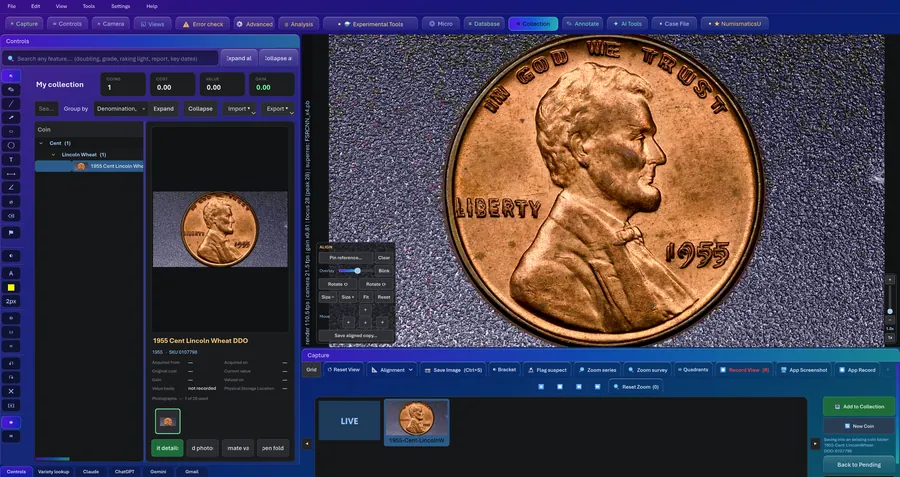
Have and need. A printable sheet for your pocket at a coin show: every US series, year and mint, ticked where you have one, key dates marked. Tick "Needs Only" and it becomes a shopping list. Print it, or save it as PDF, Word, Excel, text or HTML.
Collection Statistics
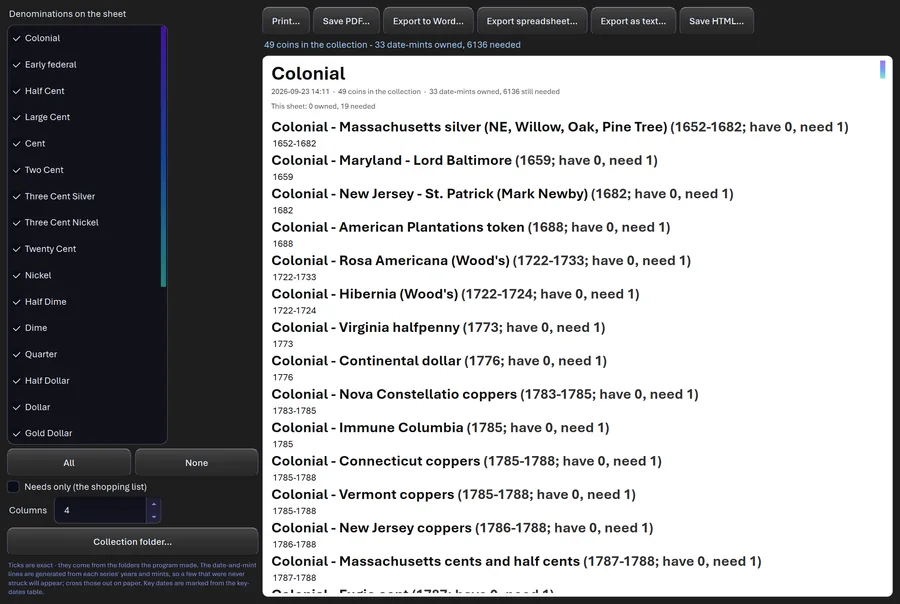
Every figure is a count or a sum of your own records, and when a field is blank for some coins it tells you how many were counted and how many were missing. Proper statistics, in other words.
Four sections. Value: total, cost, gain, average and median, and your most valuable coins. Make-Up: by series, grade band, decade and mint, plus varieties, VAMs and errors. Provenance and Sales: spending by year, sources, and realized gains. The Records: photos per coin, coins with no photo, certified coins by service, storage, missing fields and growth by month. Print it or save it as PDF or a web page for your insurance folder. It's also a great way to learn exactly how much you've spent on this hobby, if you're brave.
Reports, Listings and Evidence
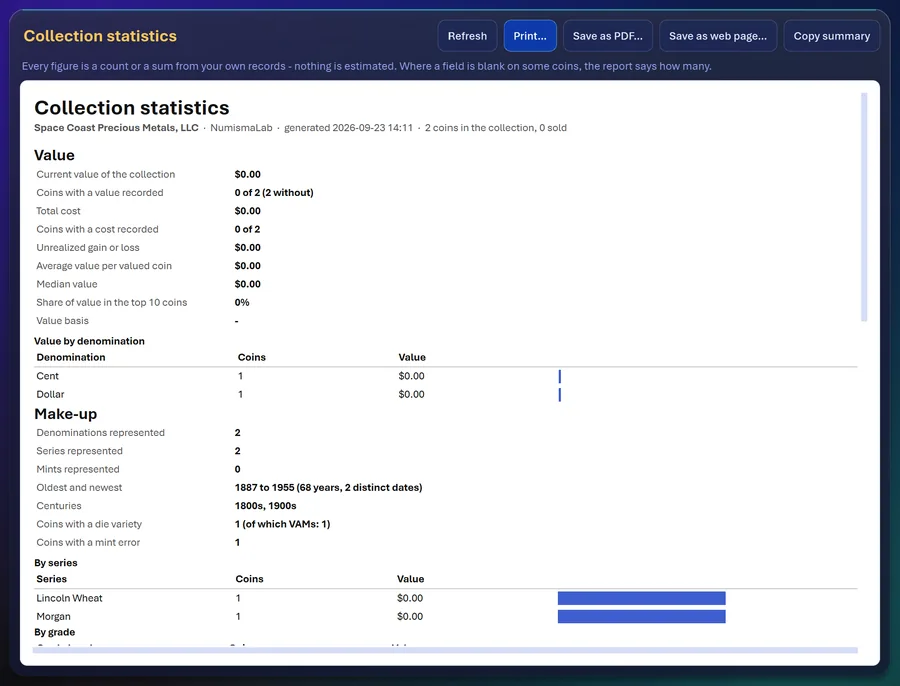
The evidence packet. Everything measured about one coin in one document: photos with their seals and SHA-256 fingerprints, measurements, doubling results, case notes, calibration and owner. Then the whole packet is signed with an Ed25519 digital signature and shows a short verification code. Anyone can check it later, and Verify tells you whether it's intact, whether a photo changed, or whether the seal doesn't match. "I think it's a VAM-4" is an opinion. A signed packet is something you can hand another person.
Listings and grading submissions. The same material writes a sale listing (with a title that fits about 80 characters) and a submission sheet for PCGS, NGC, ANACS, ICG or SEGS. It won't guess a value, won't write RARE, and marks anything the program only inferred.
Five exports. The collection goes out as CSV, HTML, Excel, PDF or a copy of the SQLite database.
Case Files
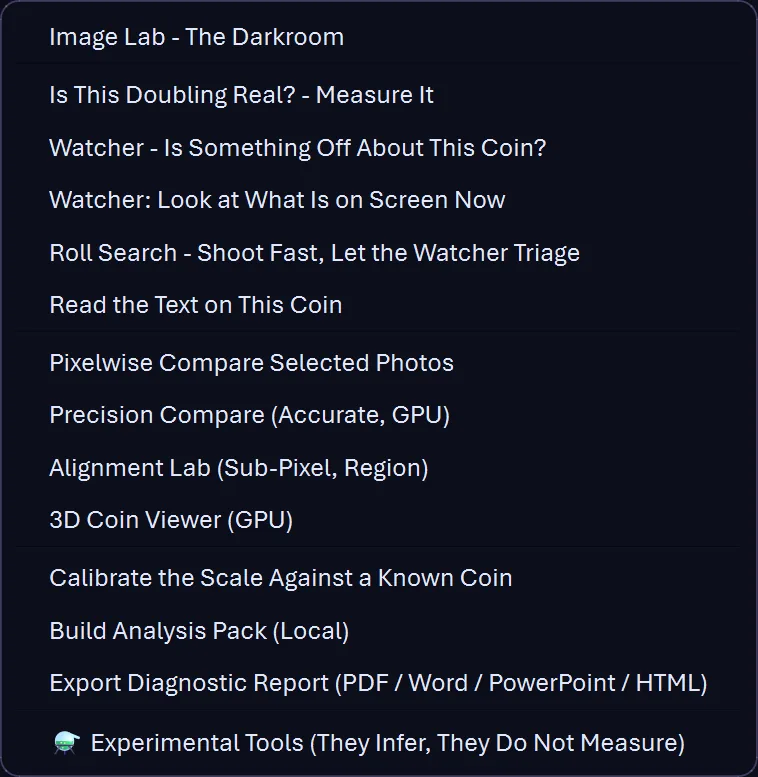
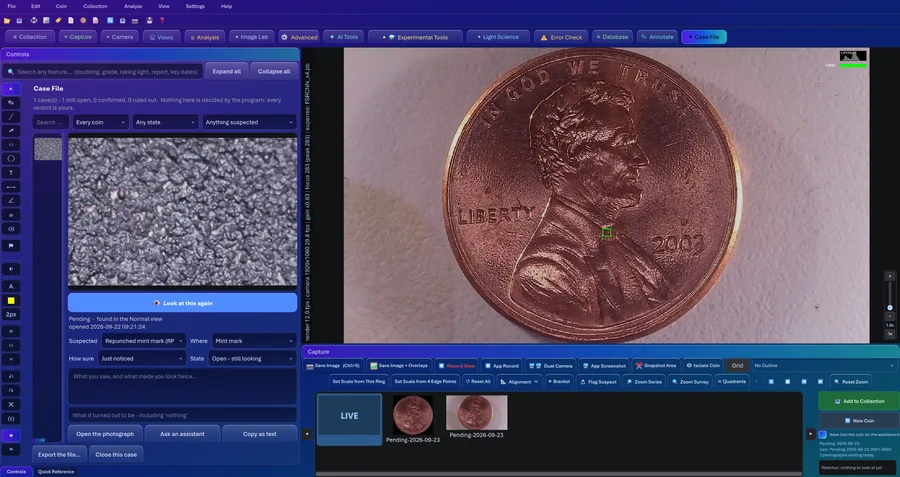
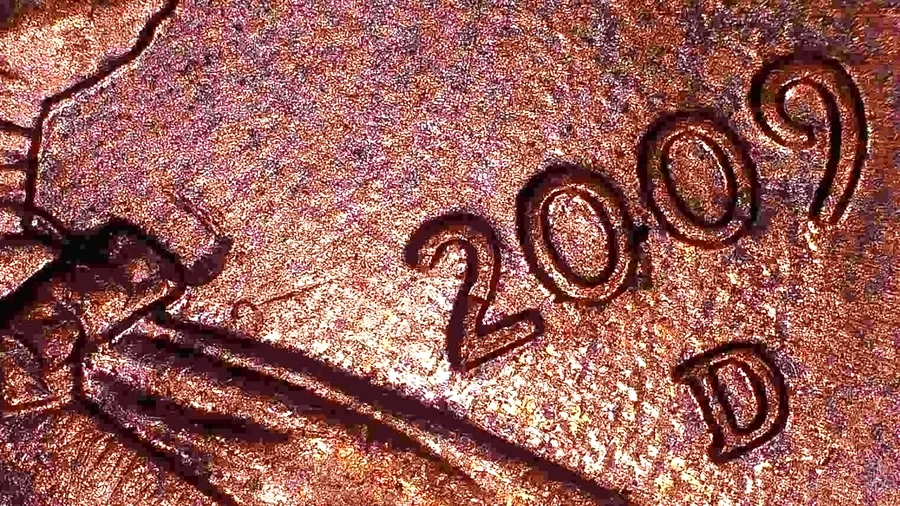
Spot something? Flag What Is on Screen saves the picture with its overlays AND every setting that produced it, with the position stored relative to the coin. Later, Look at This Again puts the camera and every view back exactly the way they were.
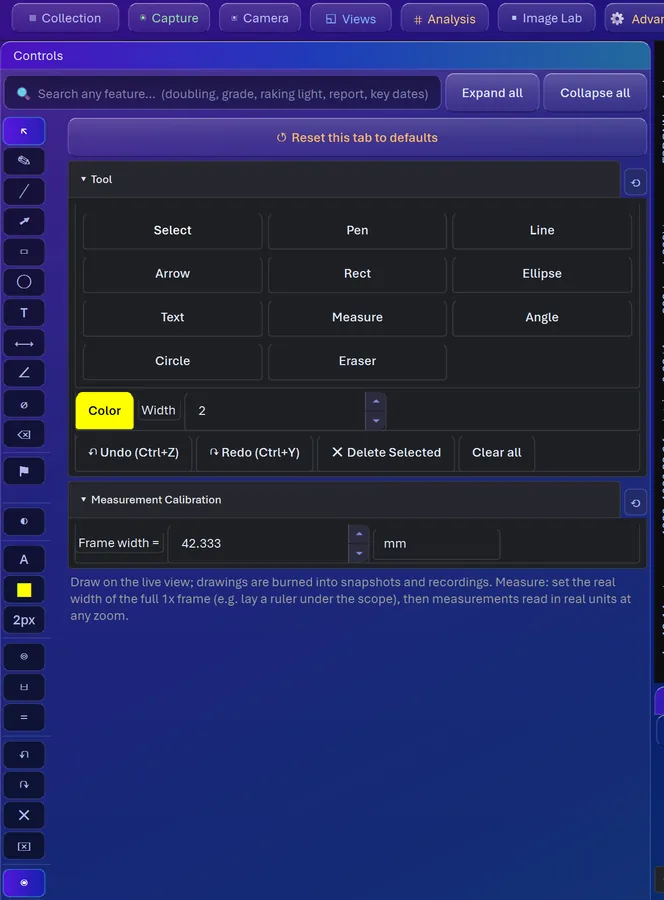
Each case gets a suspicion, a How Sure (just noticed up to very sure) and a state: open, needs a better photo, sent for an opinion, confirmed or ruled out. Only you set the state. Draw on it with pen, arrows, boxes, text, a measure tool and an angle tool. It's a detective's corkboard minus the red string (I thought about adding red string), and those confirmed and ruled-out verdicts are exactly what teaches the Watcher.
Saved Sessions and Backups
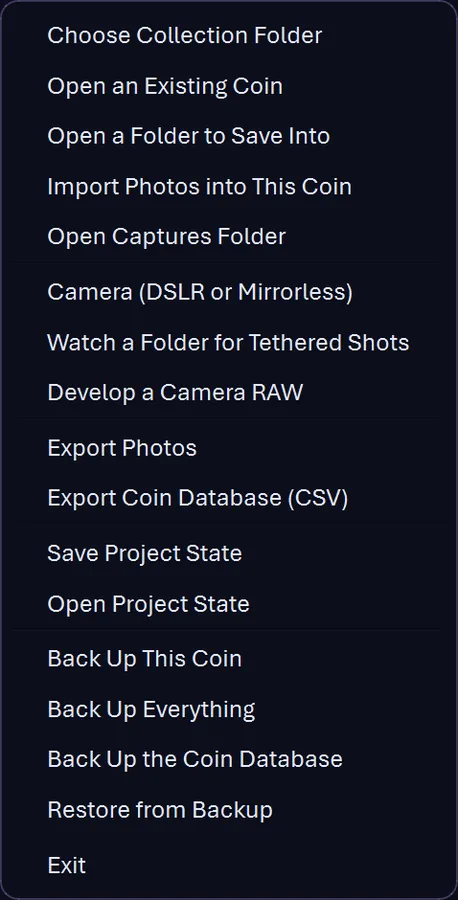
A session is more than its photos: the coin, your notes, every camera and processing setting, the annotations, the calibration, the window layout and which photos you had picked. It all saves into one file inside the coin's folder, and opening it puts you right back where you were standing.
Back up one coin, everything, or just the database, which is copied with SQLite's own backup method so the copy is complete even mid-write. Your collection lives outside the program folder on purpose, so uninstall, reinstall or a lapsed license never touches it. Pro tip from a photographer: keep one backup on a different drive.
A copy of your database, every day. Once a day CoinScope Pro copies your coin database into the Database Backups folder inside your collection, without being asked. If something ever goes wrong, yesterday's catalog is sitting right there. It copies the database only. Your photographs are already files in your collection folder, so back up that folder as well.
Flip Cards
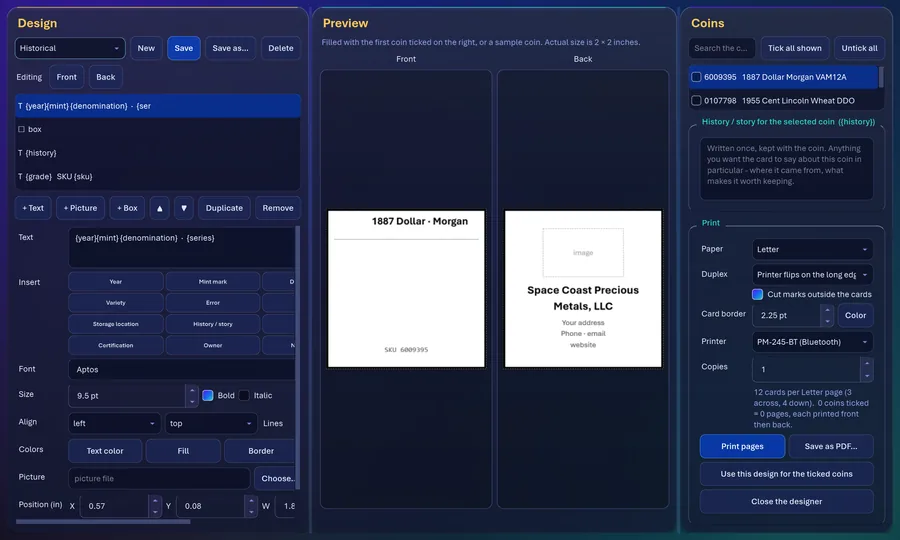
Design your own 2x2 flip inserts with your own graphics, any font on your computer, and fields that fill themselves in: {year}, {series}, {sku}, even the coin's {history}. Twelve to a page, three across and four down on Letter or A4.
The duplex trick: the layout is centered so the margins match, and every back is placed in the mirrored cell, columns reversed for a long-edge flip and rows reversed for a short-edge flip, so the front and back land on the same card. Run one test page on plain paper first and you're golden.
Flip Labels
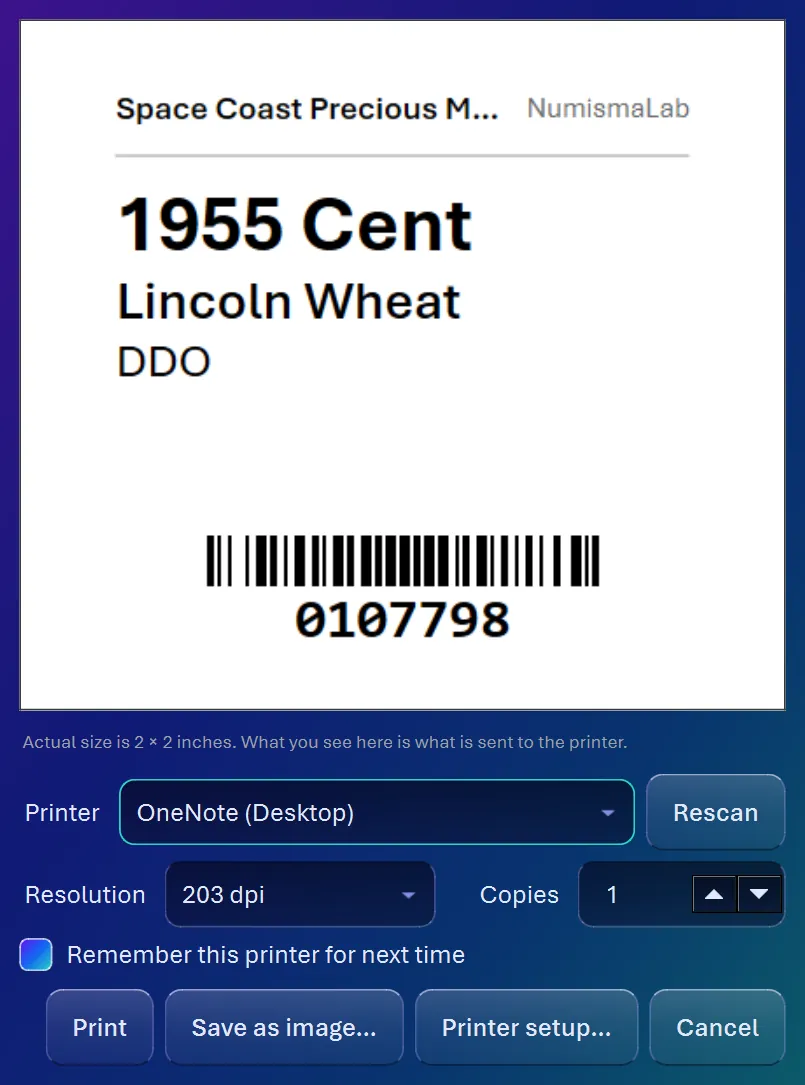
Labels are drawn at your printer's own resolution (203, 300 or 600 dpi) so every bar of the barcode lands on an exact printer dot. That's why they scan. The SKU prints as a Code 128 barcode, a QR code carrying the whole record, or both. On thermal stock everything goes solid black.
Thermal printers over USB or Bluetooth, or any regular printer, as long as Windows can see it. Pick several coins and Print All makes one label each, or tick one box and a label prints the moment you file a coin. The shelf and the software always agree.
Screenshots, Recording and Watermarking
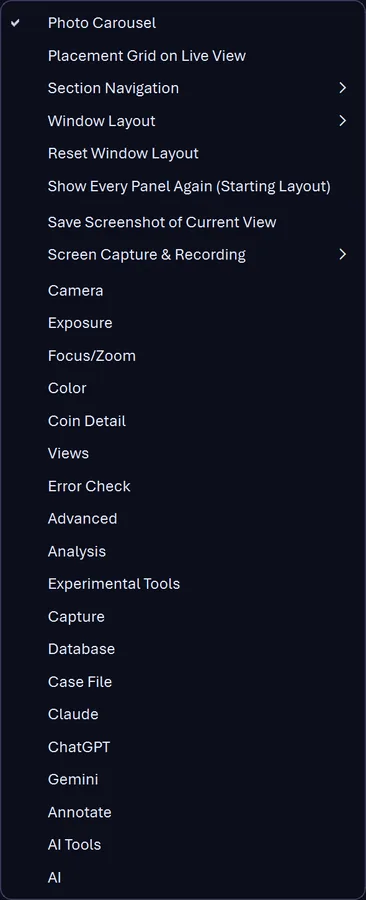
Grab the program window or the whole screen as a still, or record video at 15 frames a second with your mic if you want it. There's even Screenshot Every Tab, which saves one picture per tab. Perfect for a forum post or showing your coin friend exactly what you're looking at.
Every screenshot and recorded frame gets a small, half-see-through CoinScope Pro mark in the bottom-left corner. Big enough to recognize, small enough to leave the coin alone, because the coin is the star.
Quick Reference
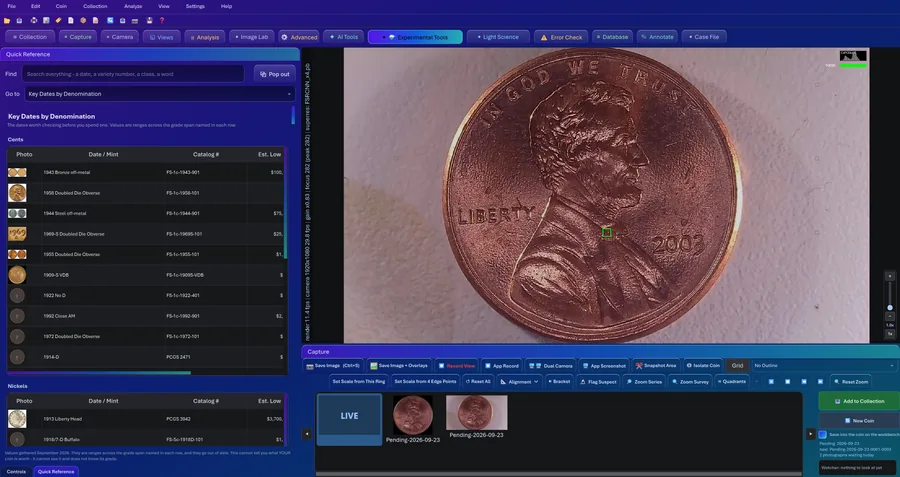
The chart you'd usually have open in another window, docked right beside your coin. Press F2. It covers the error and variety types with a low-to-high value range, the key dates by denomination with catalog numbers, and the doubled dies, all sorted, searchable, and small enough to read while something's under the lens.
Every row gets a properly licensed photo where one exists (132 photo credits) and a placeholder where one doesn't, never a picture of some other coin pretending. Sources and credits are cited in each section, and it all ships inside the program, so it works with no internet at all.
Numismatics Lessons. Nine lessons written for this program, under Help > Learn: how a coin is made, mint marks and where to find them, how coins are graded, errors and varieties, luster, toning, cleaning and damage, counterfeits and alterations, handling and storage, a routine for reading a coin, and a short history of United States coinage. Their pictures come only from Wikimedia Commons under open licenses, with credits, and you can print the whole set. The lessons teach. They do not examine your coin.
ChatGPT and Claude, Built In
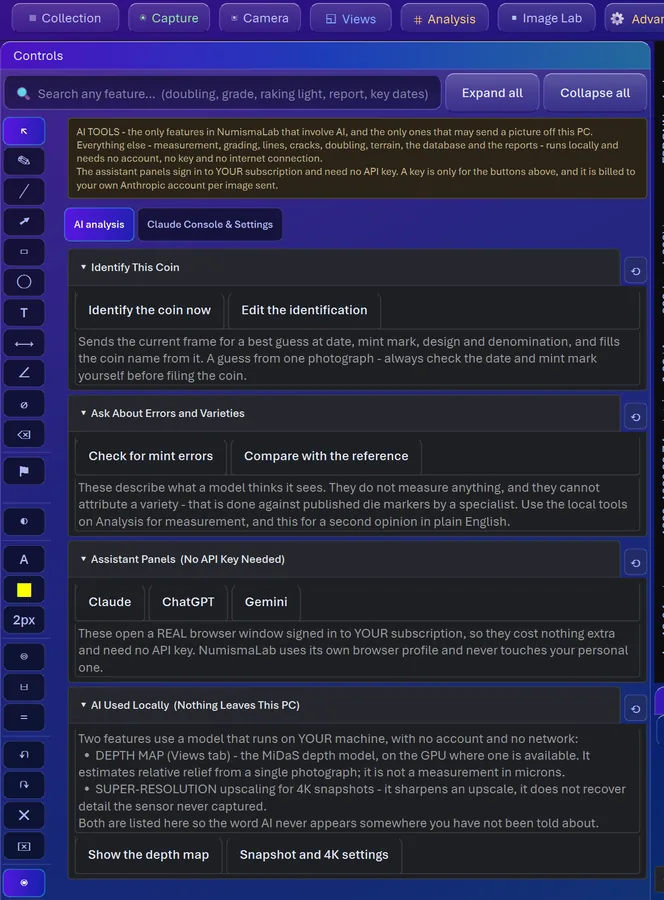
Claude and ChatGPT run as signed-in panels right inside the program, each in its own browser profile, on the subscriptions you already pay for. No API key, no per-question charge. Send Photos, Photos + Prompt, or Prompt Only, and your photos and question go over together, so you're not stuck describing a coin in words like some kind of caveman.
Read Reply brings the answer back, and you read it right beside your photographs. What goes into your records is what you decide to put there. I like asking more than one of them, because like doctors, they don't always agree, and that's worth knowing. Photos only go to the service you chose, when you press the button.
Report Viewer. When ChatGPT or Claude hands you a PDF report, it gets filed with the coin, and Open Report shows it right inside the program, page by page, next to your photos. Zoom it, print it, done. No digging through your Downloads folder. It's labeled for what it is, somebody's reading of photographs, never a grade or an authentication.
Experimental Tools
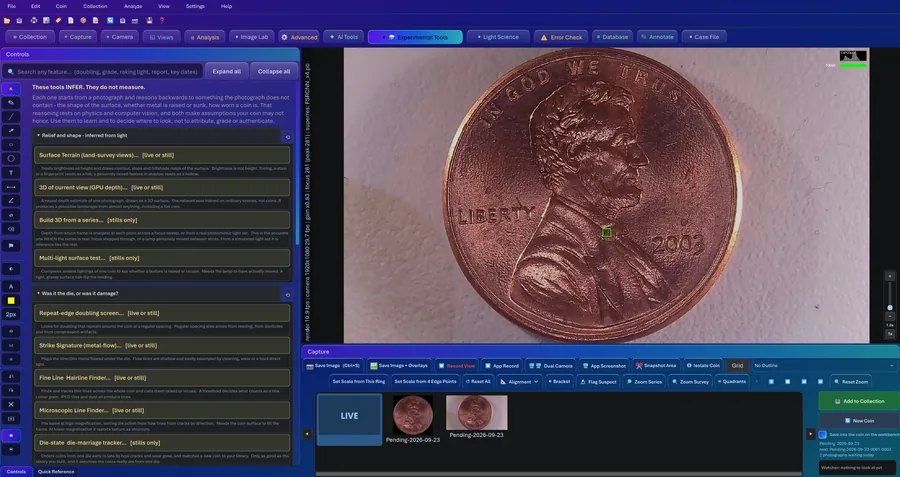
This is my lab bench, and you get to play on it. Every tool that makes an educated guess instead of a measurement lives on one pale yellow tab, each marked for what it works on (live, stills, or both).
Why the coin gets cut out first. Half of a nicely framed photo is the mat, and under a microscope lamp the mat is the busiest texture in the picture. On a framed 1955 cent, leaving the mat in gave a contact-mark count of 96 on a scale whose worst band is 6. So the program finds the round coin and fills everything outside the rim with the coin's own median color, softly feathered, because a hard black edge would get picked up as a finding.
The ping test. Pure physics. A coin rings at a frequency set by its thickness, diameter and the stiffness and density of its metal, and the real tell is how fast the ring dies away (its Q factor). A plated core, a layered fake, a crack or a plug damps the ring. You get a spectrogram, a decay plot and a comparison against a reference ring you recorded yourself.
Plus the strangest-spot finder, the watcher that scores a photo as worth a second look, and the text reader that tries to read a date off raised metal.
Light Science
Every relief number in this program rests on one assumption about light: it adds up. The coin lit by lamp A, plus the coin lit by lamp B, should equal the coin lit by both. If gamma processing anywhere in your camera chain bends that, a relief result can look confident and be wrong. So this tab tests your LIGHT and your CAMERA instead of the coin. It comes from my PhotonLab project, and it's the light-scientist side of me with no adult supervision.
Two-light closure. Shoot Dark, A, A+B, B, B, A+B, A, Dark. Both lamps minus A minus B plus dark should come out to zero in every color channel, forward and backward. You get a residual map: cyan where it closes, red where it doesn't.
Linearity and gamma. A gain-and-offset fit, then a held-out test of the tone curve, because gamma-only changes slip right past a simple linear check.
Surface normals, weak signals and repeat cycles. Normals are fitted from four lights and tested against four diagonal lights held back. The weak-signal search picks candidates from the first half of the captures and challenges them in the second. The repeat-cycle test uses two experiments to predict the leftover in a third. Every result is labeled MEASURED or INFERRED, and every panel says what a pass does and doesn't prove.
The Rest of It
A drawing toolbar down the side for marking up what you're looking at. Preset adjustments for anyone who doesn't want sixty-nine sliders: about eight named ones like low light, relief, doubling, luster and sweep the lamp round, each with one slider and an off switch that puts everything back. A reference photo library that searches Wikimedia Commons for public-domain Mint photos and downloads only what you click.
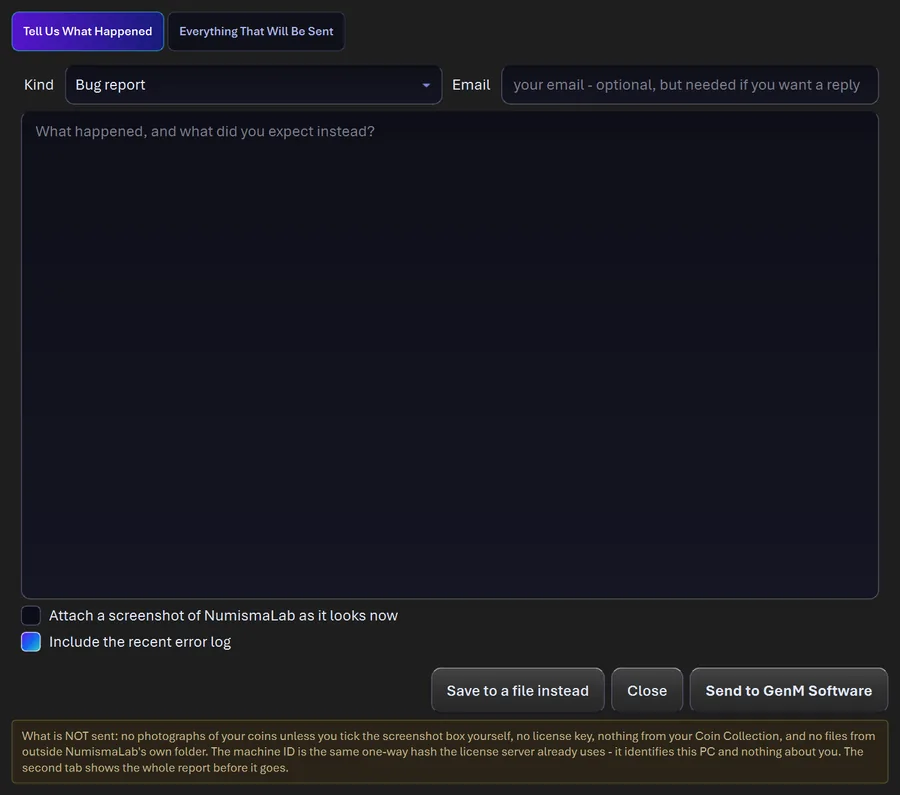
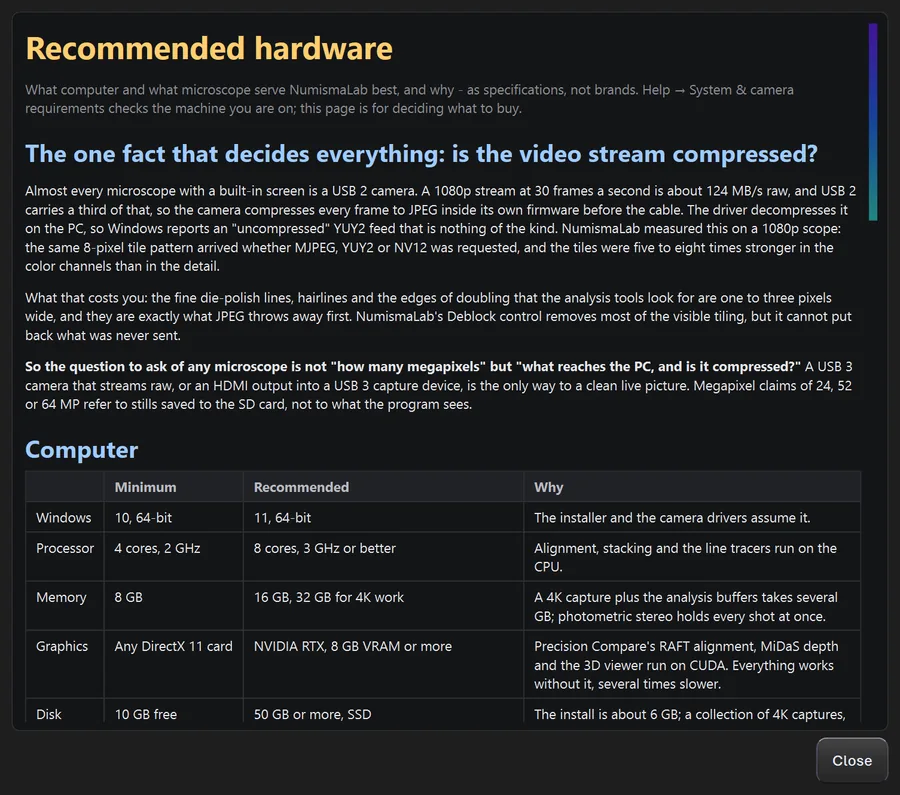
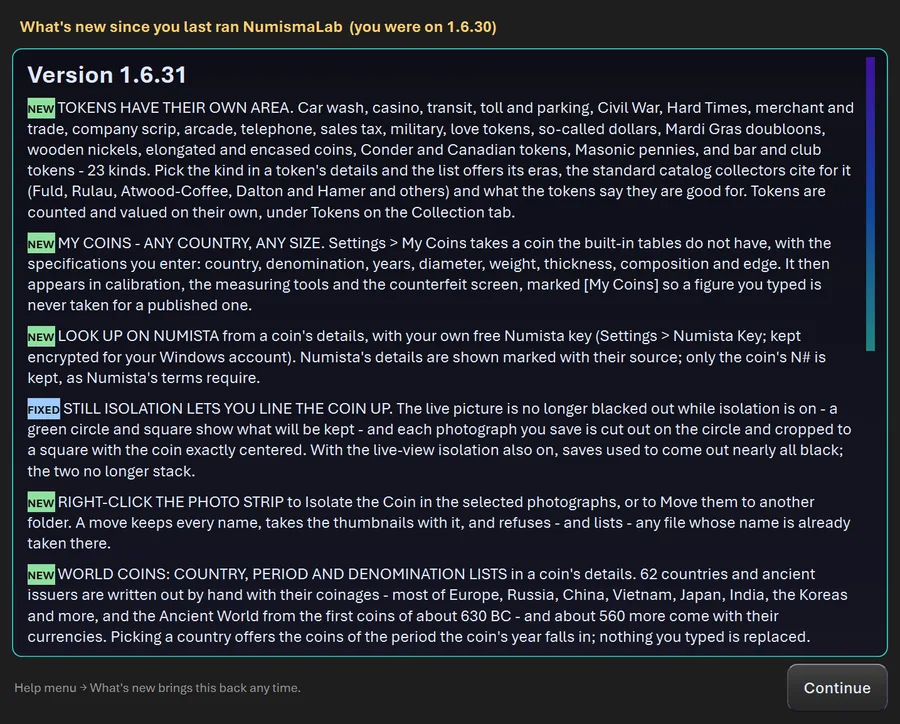
A feedback button that actually reaches me (hi), where you see and can edit the whole report before it's sent, plus release notes, the license, the legal notice, and a requirements check that tells you where your computer stands.
More Evidence, Not More Guessing
Here's what building this thing taught me: the tools that work are the ones that give the software MORE to look at. So the newest work is about capturing more evidence instead of being clever with one photo.
Burst capture. Several frames of one coin, each registered to the first by phase correlation and averaged. Noise falls with the square root of the number of frames: 4 frames halve it, 9 cut it to a third, 16 to a quarter. Frames that drifted more than 8 pixels get refused instead of blended. And alignment is what protects the detail: on one drifting 8-frame burst, aligned frames kept almost all the fine detail and unaligned ones lost most of it.
True polarization. One polarizing filter on the lamp, one on the lens. Shoot once aligned and once crossed. Glare bouncing straight off the metal keeps the lamp's polarization, and light that went into the surface forgets it, so the crossed shot is the coin without its shine and the difference is the shine itself. No filters? Move the lamp around and take the per-pixel median across the shots, because a highlight moves with the lamp and the surface stays put. It also tells you how much of the frame was blown to pure white, since nothing can recover that.
Depth from focus. Relief measured from where the LENS was, instead of where the light was. Two methods that could fail in completely different ways, agreeing with each other, beats one method being fancy. (It's verified on synthetic stacks so far, and says so on screen.)
The Program Shows Its Homework
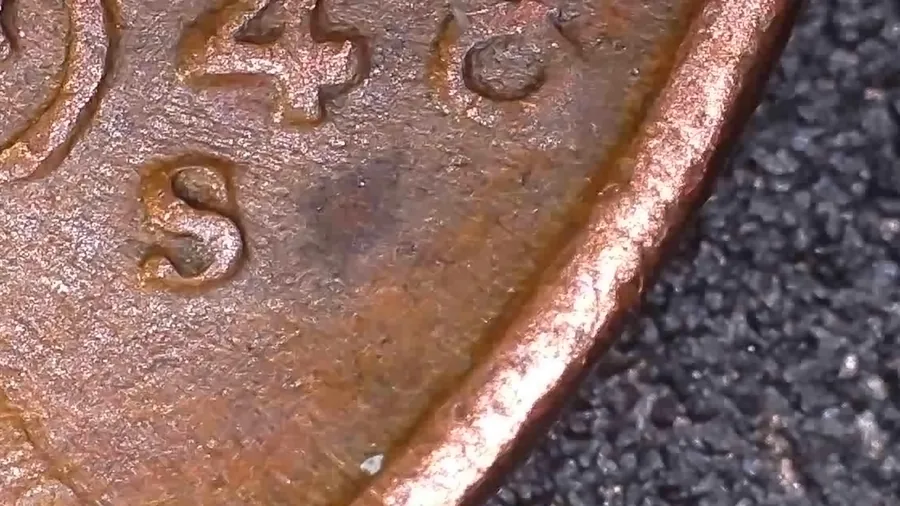
Under Help there's a window listing every method I've tried in this software: the ones that worked, and the ones I built, measured and tossed. Right now that's 32 that worked and 122 that didn't, and the counts are right in the heading.
Why show you my failures? Because a result is only worth as much as the method behind it, and you can't judge a method from a features page (hi, you're on one). Six automatic mint-mark detectors were built and real coins beat every one of them. Nine separate tries at reading doubling from a single photo, then a tenth, same story. That's how the verdict above ended up using a moving lamp instead.
The text is pulled straight from the notes in the source code, written the moment each lesson was learned, so what the program tells you always matches what the code does. Science is messy. I'm showing you the mess.
Spot Checks: You Say Where
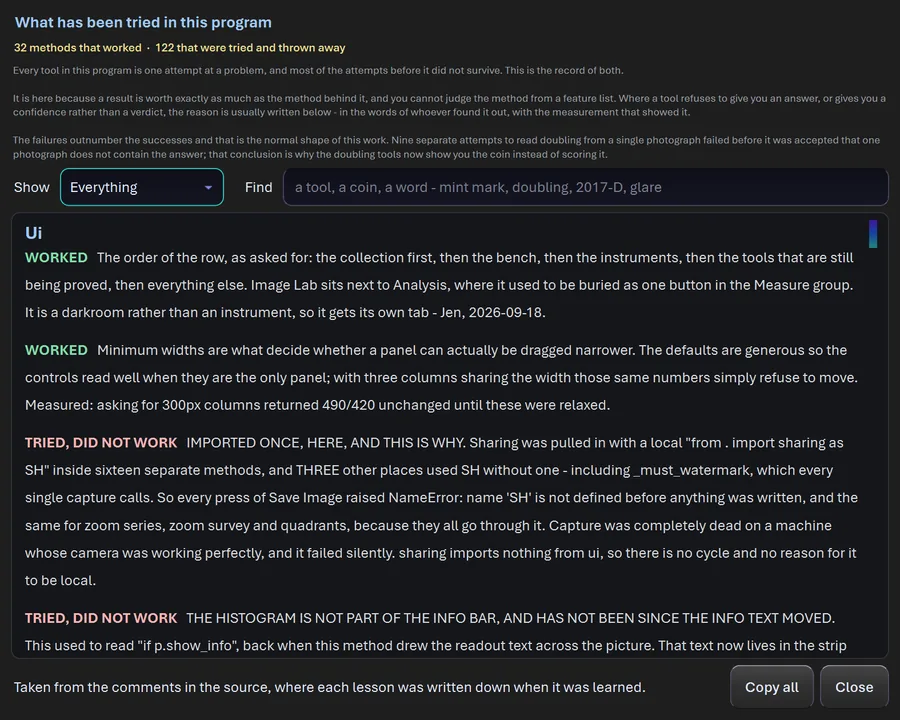
Draw a box around ONE letter, a mint mark you think is repunched or a digit you think is doubled, and the program shows you that patch seven ways: as photographed, local contrast (usually the most telling), a simulated raking light you swing with a slider, the outline alone, surface slope, a quiet map where everything normal goes black, and color change. A second impression that hides in one rendering usually shows up in another.
The cross-section. The doubling spot check cuts a profile straight across the suspected doubling, averaged over the middle half of the stroke, and reports how many crests it found, the height ratio between them, their separation and the stroke width. Hub doubling leaves two crests of about the same height. A die that chattered leaves one crest and a flat shelf. When the crests sit about one stroke-width apart it tells you it can't separate them, because an ordinary letter looks exactly like that too.
It's built for one letter at a time on purpose, so every rendering is about the letter and not the empty field around it.
Measuring Made Easy
A preset outline to lay your coin on. Pick a coin from the list (every US coin plus the common world ones, or a custom diameter) and a dashed ring of that true size appears at the center of the grid. Already calibrated? You'll see right away whether your coin is the size it should be. Not calibrated? The ring IS your calibration: line it up on the rim and press Set Scale from This Ring. No ruler, no calibration slide.
It traces whatever rim is in the shot. Coin hanging off the edge of the frame? A RANSAC circle fit runs on whatever arc of rim it can see and tells you how many degrees it actually used. Over 300 degrees is as good as a full coin, over 180 is good to a few percent, and over 120 places the center with an approximate diameter. On test coins it landed within 3 percent of the radius with only 40 percent of the rim visible.
Millimeters and inches, together, everywhere. Every measurement shows both, like 24.26 mm (0.9551 in), and you can type a length in either one, fractions like 15/16" included.
The Collection as a Table
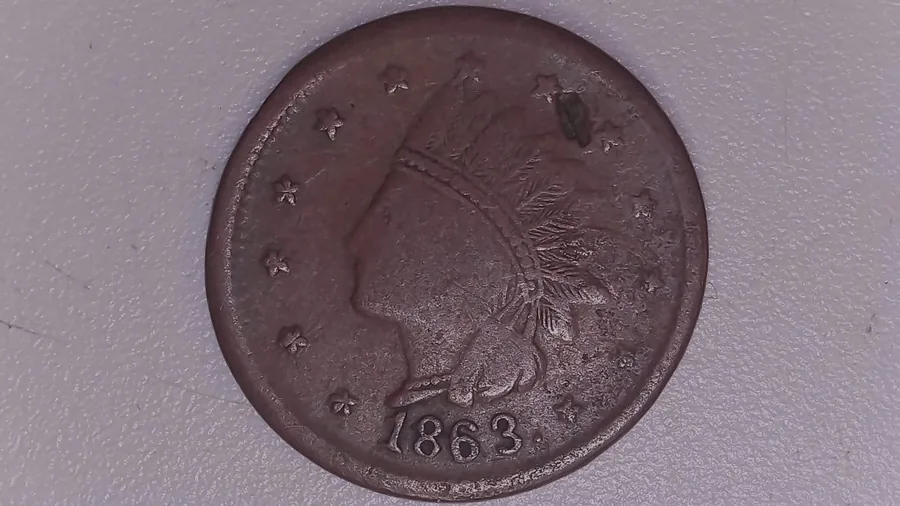
A second view next to the grouped one: every coin as a row with SKU, coin, year, denomination, variety, grade, storage, photos, cost, value, date entered and last change. Every column sorts by the real value, not the text on screen, and you can select as many rows as you like. Great for the big questions. What did I enter this week? What still has no grade?
The date each coin was entered was always being saved, and now it's a column, newest on top. It also prints on the flip label as Acquired, using the acquisition date you typed if there is one.
Deleting in bulk, for when a batch went in wrong. Select the rows, remove them together, and optionally their photo files. Those files are deleted permanently, not sent to the Recycle Bin, and it tells you exactly how many coins, photos and megabytes first.
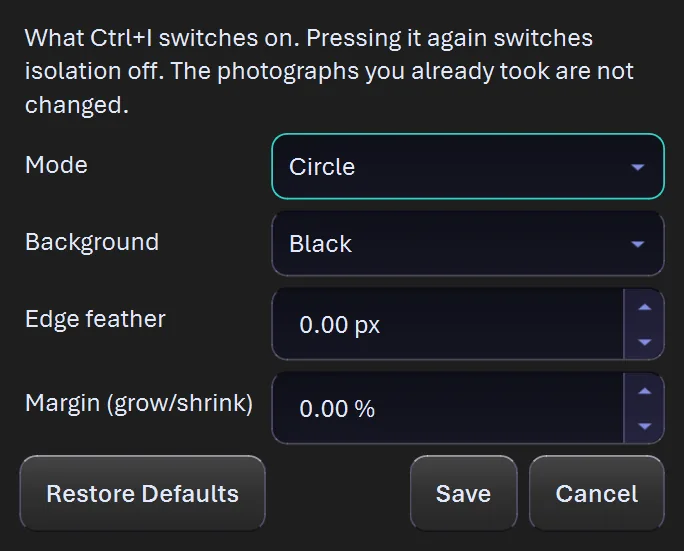
Isolating the coin on a finished photo is a separate, optional step (Ctrl+I). The coin is cut on a circle fitted to its rim and set on white, black, gray or transparent, with an optional margin so a wide rim or a broadstrike never gets shaved. Your original is never changed. Each one gets a new file right beside it.
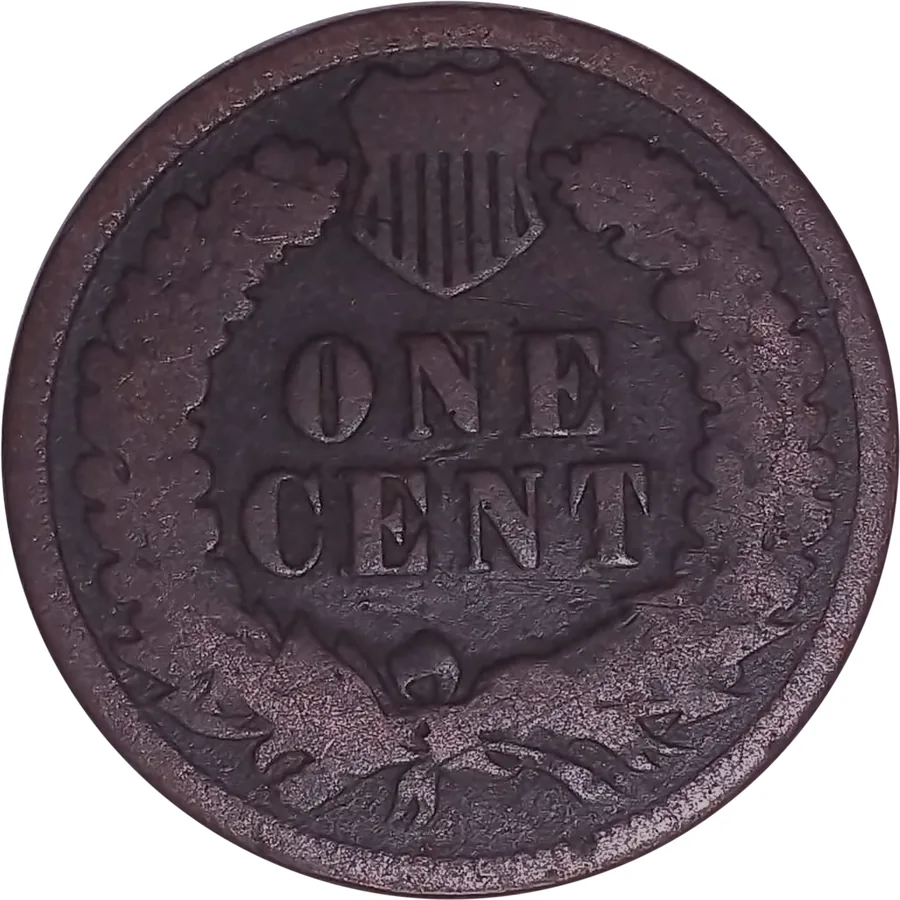
Quick Reference: What Exists, and What It's Worth
Everything else in here looks at ONE coin under a lens. This is the other half of the job: knowing what you're looking for before you look. Nobody spots a Class V pivoted hub doubling if they've never heard of one.
All eight classes of hub doubling, I through VIII, plus repunched and over mint marks, plus machine doubling and die deterioration doubling, both clearly marked as not varieties. Each comes with its giveaway. For machine doubling the tell is ONE crest and a low flat shelf, where real hub doubling leaves two rounded crests of about the same height.
76 key dates across six denominations, each with a catalog number and a low-to-high range, most expensive first, with sources and the date they were gathered.
77 doubled dies, including the full Top 50 for Lincoln cents. Plus 62 semi-keys and the CONECA top 100 repunched mint marks.
One search box searches every table at once, because when you type 1972 you don't care whether it's a key date or a doubled die. You just want the 1972.
It works with no internet. Every photo is built in. A microscope, a lamp and a laptop that never sees Wi-Fi is a perfectly normal bench.
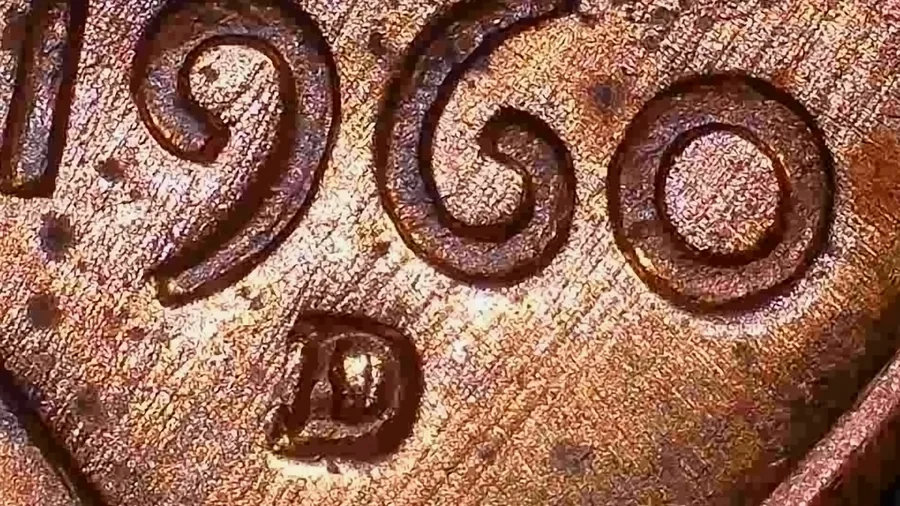
Coming in the Next Update
Scratch continuity. Point at a line and the program follows it across the coin: a scratch made after striking runs on over the letters and the design, while a die line or polish mark stops where the design begins. It measures how much of the line it can see in the field and on the design, and says which way that leans - inferred from one photograph, and it refuses when the line cannot be followed.
Channels. One photograph taken apart into brightness, red-green, blue-yellow, saturation and the camera's own red, green and blue, with a histogram - so you can see where the color on a coin differs. Color is not composition, and the tool says so.
Baseline Difference. Save a photograph of a clean coin of a design as its baseline, and the program compares any other coin of that design against it and lists every spot that differs - by where it sits, the way Wexler's lists describe them - for you to research. It never names a variety, it is meant for residue-free uncirculated coins, and every result is inferred: dirt and toning show up as differences too.
Alignment Lab, rebuilt. Tick the photographs to compare right in the window, and it tells you plainly when two photographs do not line up instead of listing changes that are only misalignment. Every tool window now fits the screen it opens on.
A complete photo record. Every photograph keeps which side it shows, its scale in millimeters per pixel, the lamp settings, its measured brightness, clipping and sharpness, and an imported photo's own camera data - so the tools can warn you before they run on a picture that cannot answer the question.
What I want you to know, said once
I'd rather tell you this once than stick a warning label on every section, so here it is.
CoinScope Pro doesn't grade your coin and it doesn't authenticate it. It measures, it shows you how it got there, and you decide. For anything of real value, send it to a grading service.
It won't tell you what metal a coin is from its color, either. A toned silver coin, a plated cent and a good fake can all look alike in a photo.
And the Experimental tab is exactly what it says: those tools make an educated guess instead of a measurement, and they're labeled that way on screen.
That's it. Everything else on this page is the fun part.
— Jen
Try the Lot
Five days free with a free account and no card, with the camera, capture, the collection and a taste of the checking tools. After that it's $199.99 once for the whole program, updates included for the life of the product, and promo codes may be available.
Download